85
External devices
External CD/DVD drive
This computer supports external CD/DVD drives with USB
interfaces (optional). Check if the interface type of the external
CD-ROM drive is a USB type.
Connecting the drive
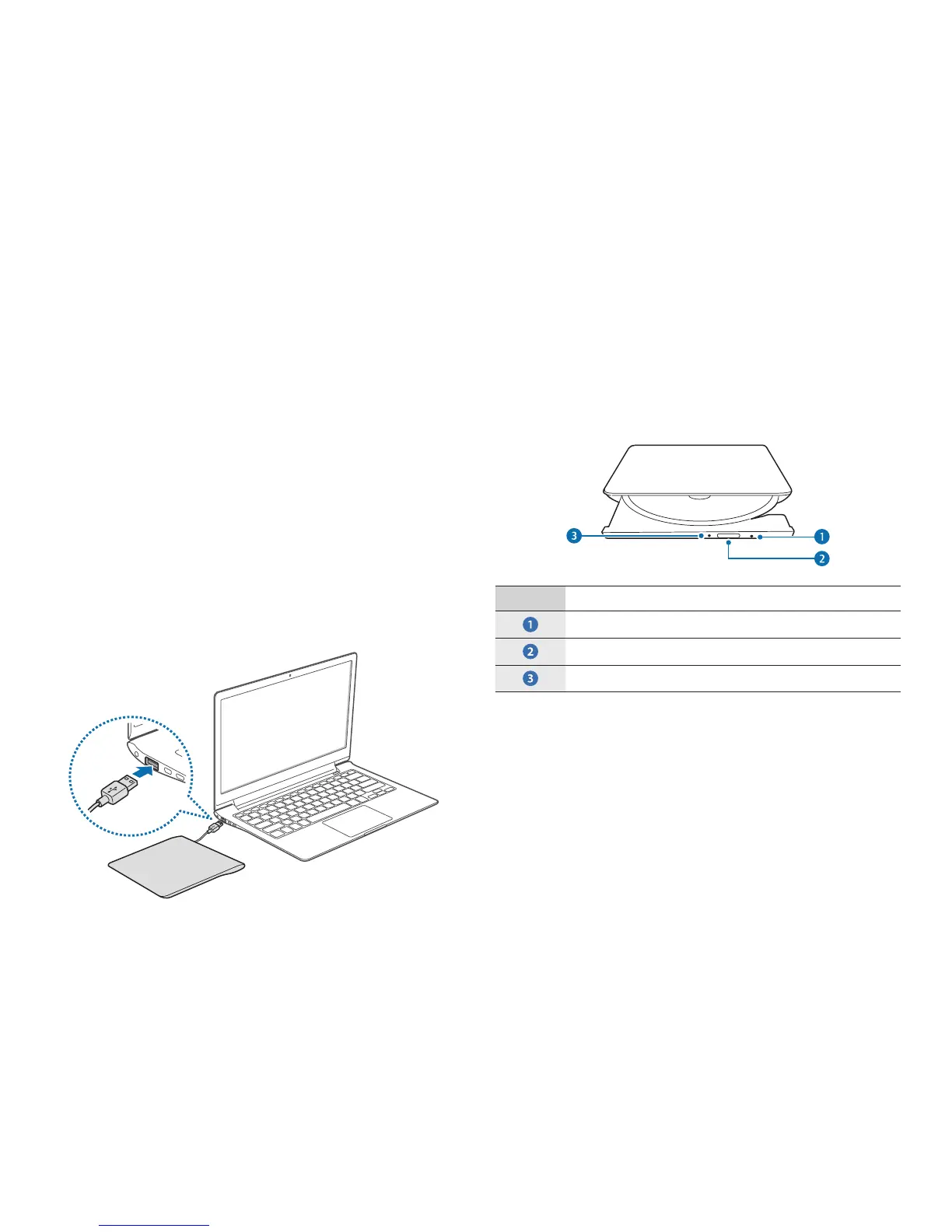
Connect the drive to the USB port of the computer.
Inserting and ejecting a CD or DVD
1
Press the Eject button to open the tray.
Number Description
•
Emergency aperture
•
Eject button
•
Status indicator light
2
Insert a CD or DVD.
3
Push the tray inward until it clicks.
The status indicator turns on.












 To Next Page