135
Using Samsung Magic Doctor (Optional)
MagicDoctoristroubleshootingsoftwareprovidedbySamsungComputer.Ausercandiagnosesystemproblemsvia
one-clickorbyselectingdiagnosticitems.
Before You Start!
The screens used in this manual may differ from actual screens according to the program version.
1
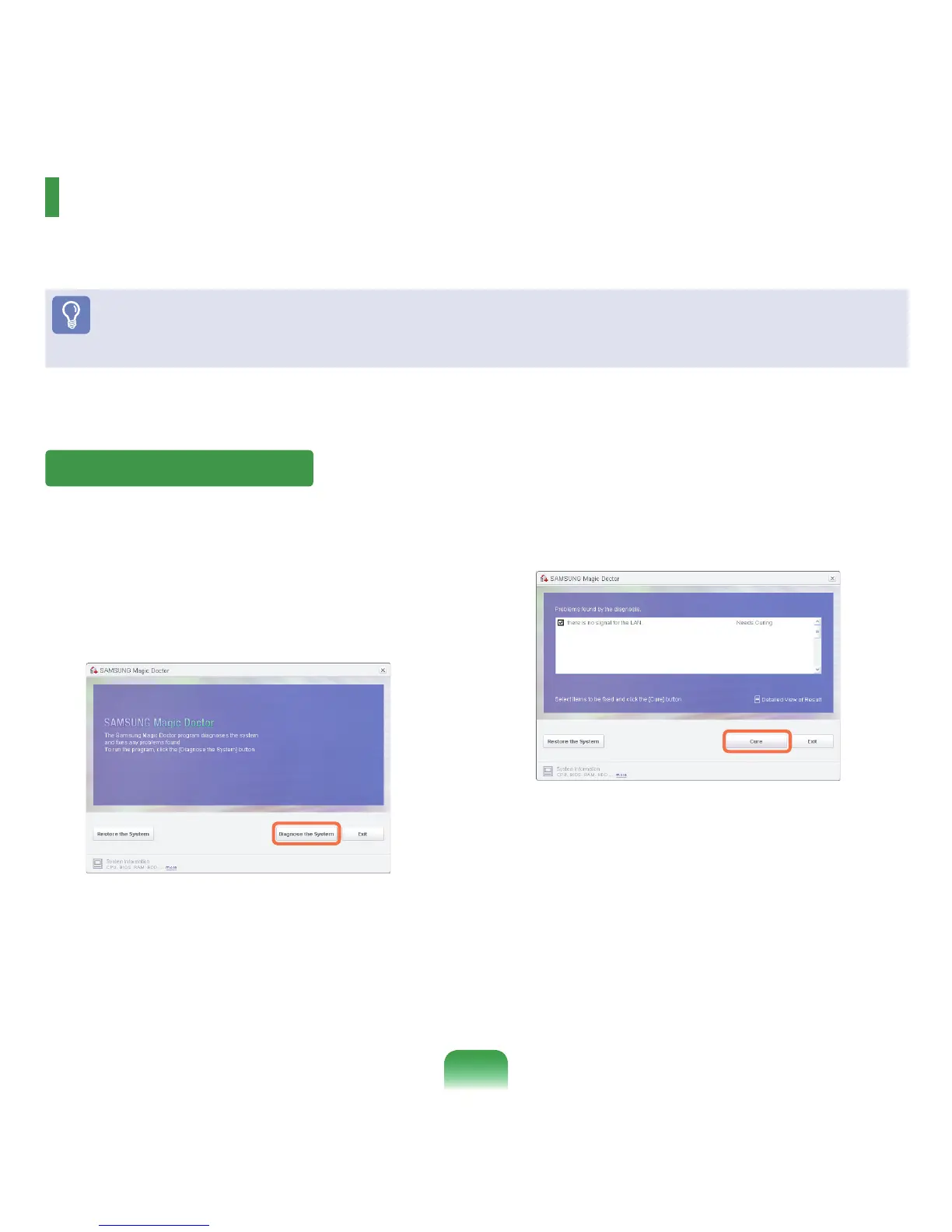
Select Start > All Programs > Samsung >
Samsung Magic Doctor > Samsung Magic
Doctor.
2
Click the Diagnose the System icon.
The system status diagnostics start.
3
Whenthesystemstatusdiagnosticsarecomplete,
the diagnostics result appears.
Ifaproblemhasbeenfound,clickon
Cure for
SamsungMagicDoctortocuretheproblem.
Diagnosing the System



 To Next Page