74
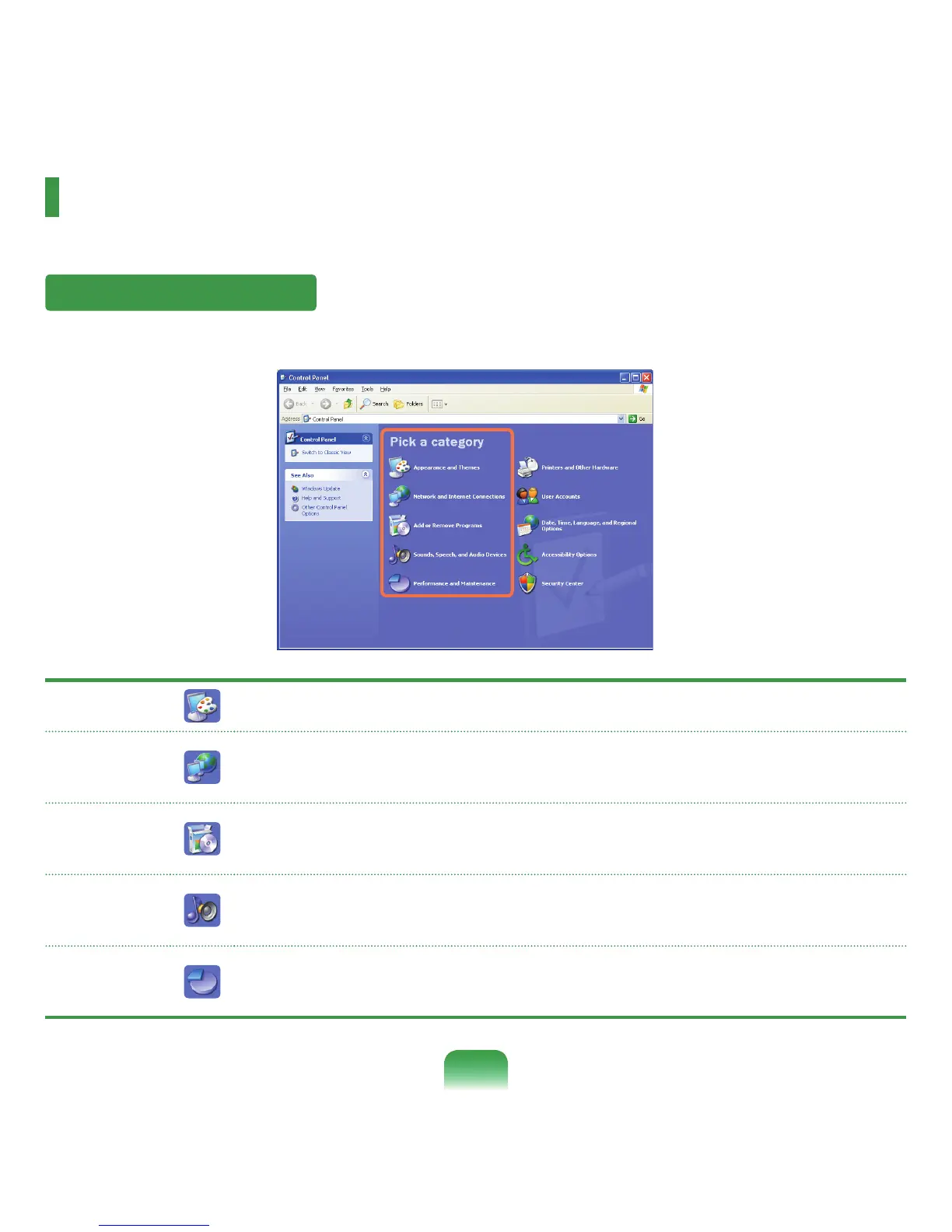
Control Panel
TheControlPanelhasagroupoftoolsthatenabletoconguretheWindows-relatedsettings.
Running Control Panel
Click Start > Control Panel.
Appearance
and Themes
Change the appearance of desktop items, apply a theme or screen saver to your computer,
orcustomizetheStartmenuandTaskbar.
Network
and Internet
Connections
ConnecttotheInternet,createahomeorsmallofcenetwork,congurenetworksettingsto
work from home, or change modem, phone, and Internet settings.
Add or
Remove
Programs
InstallorremoveprogramsandWindowscomponents.
Sounds,
Speech, and
Audio Devices
Changetheentiresoundschemeorindividualsoundsmadebyyourcomputer,orcongures
the settings for your speakers and recording devices.
Performance
and
Maintenance
Scheduleregularmaintenancechecks,increasespaceonyourharddisk,orcongure
energy-savingsettings.



 To Next Page