39
Turning the Computer On and Off
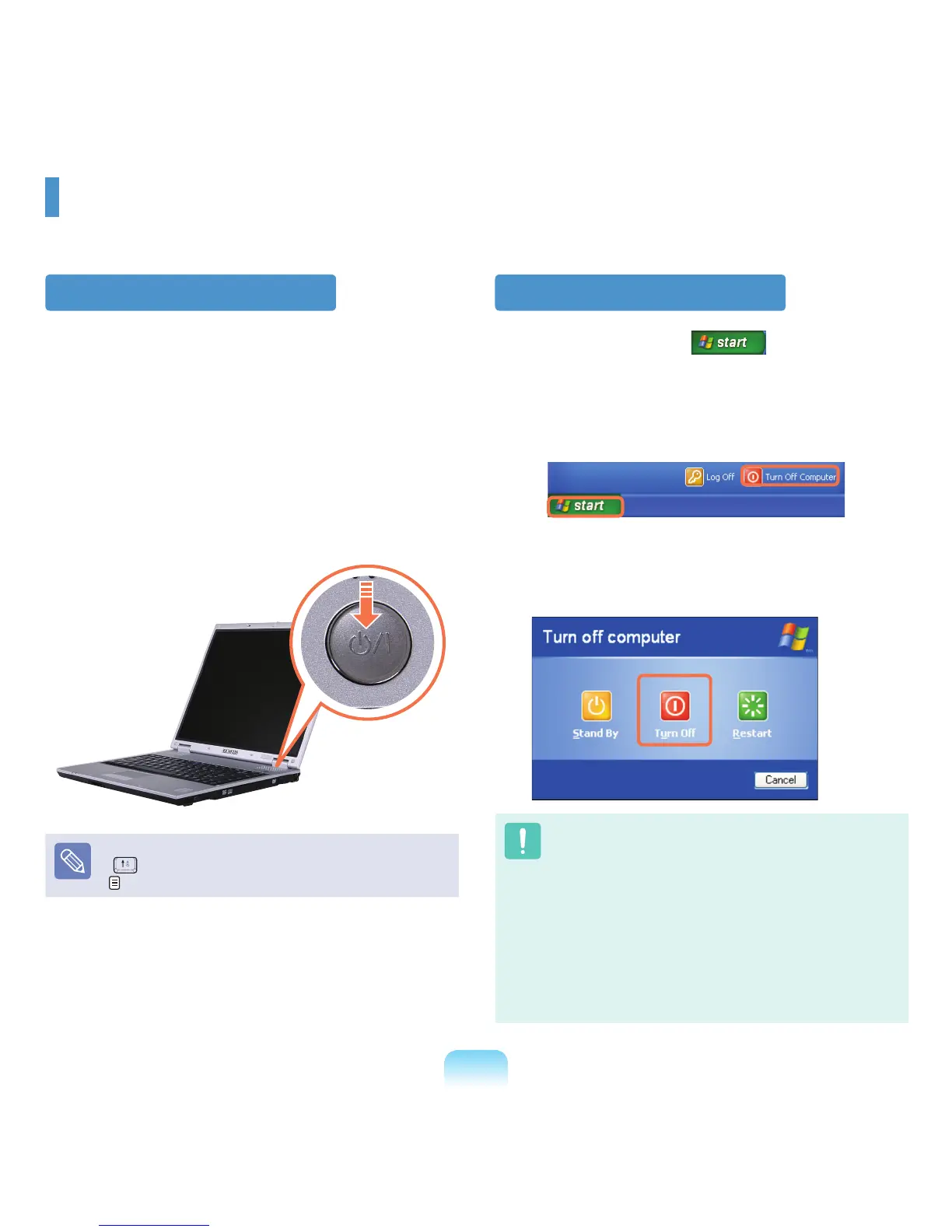
Turning the computer on
1
Install the battery and connect the AC adapter.
(Refer to the Installation Guide.).
2
Slide the LCD Latch to the right and then lift up the
LCD panel.
3
Press the Power button to turn the computer on.
IftheLCDbrightnessistoodim,presstheFn+
( )keysandadjustthescreenbrightness.
p. 43
Turning the computer off
1
Click the startbutton( )onthetaskbar.
2
Click Turn Off Computer.
3
Click Turn Off.
■
If the computer has not turned off properly due to a
system error, press <Ctrl>+<Alt>+<Delete>.When
[WindowsTaskManager]dialogboxappears,click
Shut Down > Turn Off to turn off the computer. Your
unsavedworkmaybelost/damaged.
■
If <Ctrl>+<Alt>+<Delete> keys do not operate either,
pressthepowerbuttonformorethan4seconds
to turn off the computer. Your unsaved work may
belost/damaged.Thenexttimeyouturnonyour
computer,aharddiskcheckwillbeperformed,
beforeWindowsstarts.



 To Next Page