71
Windows XP Screen Layout
Desktop
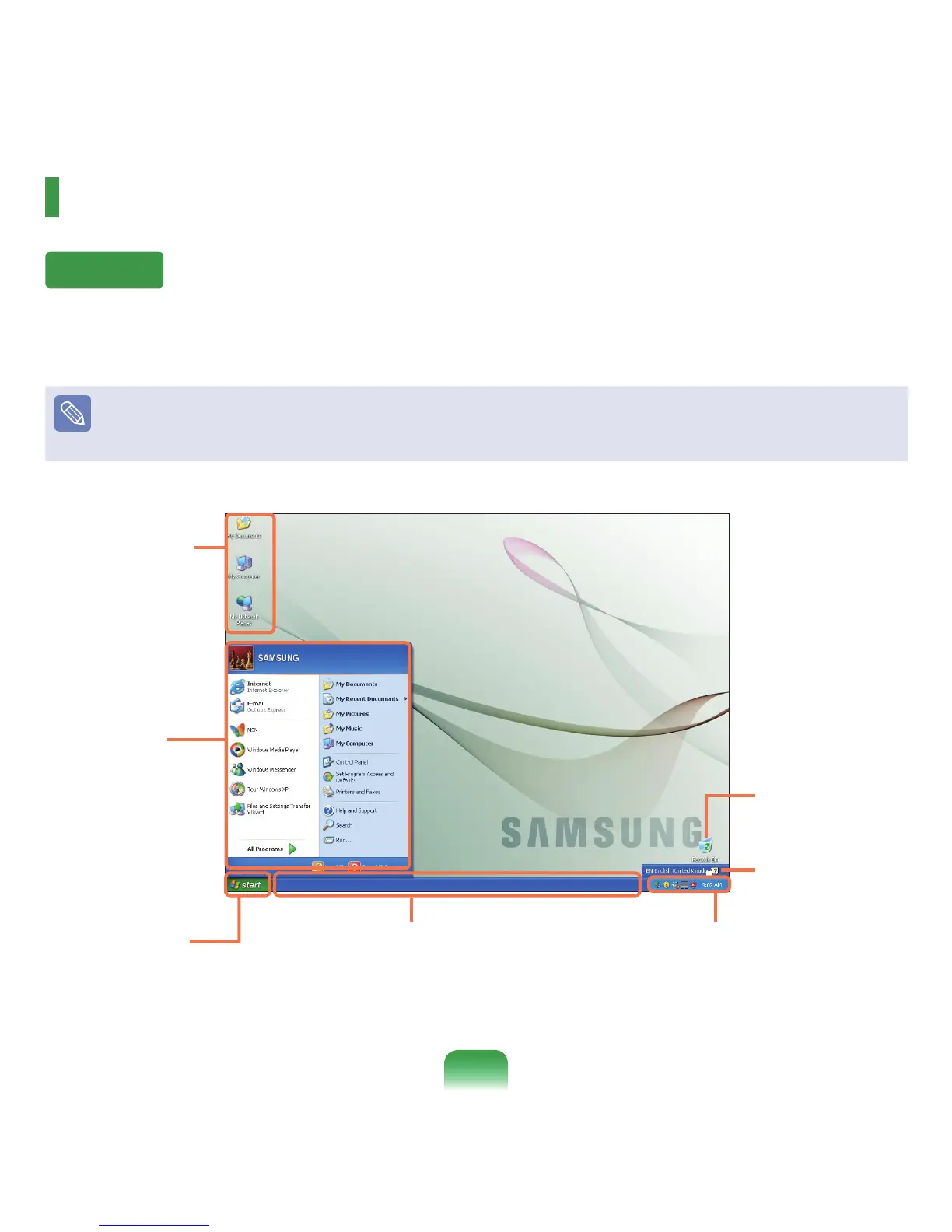
If you turn on the computer, the Desktop will appear. The Desktop is the work space (screen) of a computer and is
conguredasfollows:
The screen layout may differ depending on the computer model and the operating system.
Start button
Pressthestartbutton.
The Start menu appears.
Taskbar
Currently running programs are
displayed here.
Shortcut Icons
You can launch
programsbyclicking
the shortcut icons on
the Desktop..
Recycle Bin
You can drop useless
lesandfoldershere.
System Tray with Clock
Shows some running program icons.
Iconsnotbeingusedarehidden.Ifyou
click the arrow mark on the left, you can
view hidden icons.
Start Menu
The menu from
which you can launch
programs.
Language Bar
Switchestextinput
language.



 To Next Page