33
Overview
Before You Start!
■
*
Theitemsmarkedwiththissymbolareoptionalitemswhichmaybechangedormaynotbeprovideddependingonthe
computer model.
■
The actual color and appearance of the computer may differ from the pictures used in this guide.
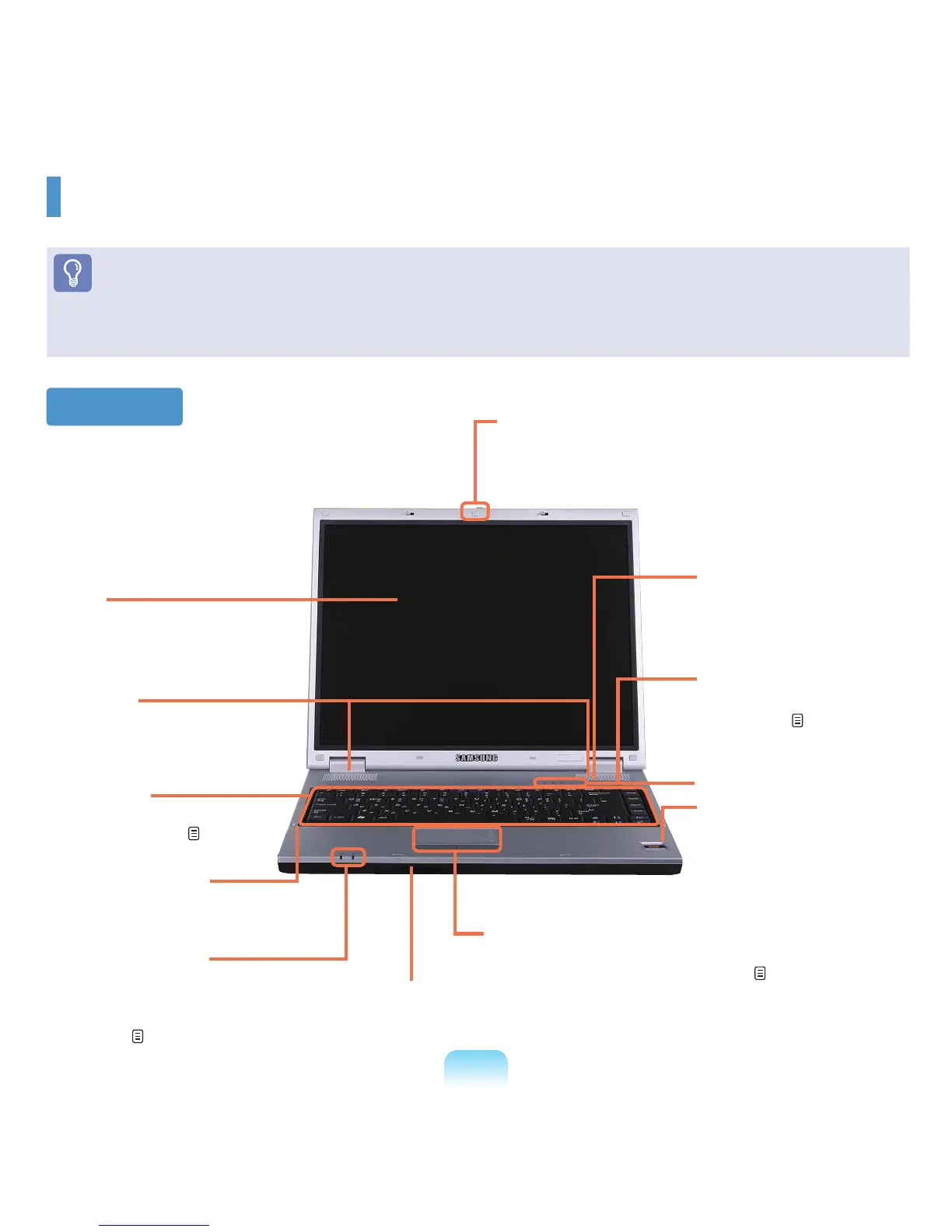
Front View
2 LCD
The screen images are
displayed here.
6 Status Indicators
Shows the operating status of the
computer. The corresponding operating
LEDislitwhenthecorrespondingfunction
operates. p. 34
10 Power Button
Turns the computer on
and off. p. 39
8 Touchpad/Touchpad Buttons
Thetouchpadandtouchpadbuttonsprovidefunctions
similartothemouseballandbuttons.
p. 44
1 LCD Latch
This latch is used to open and close the LCD panel.
To open the LCD panel, slide the latch to the right
and then lift the LCD panel up.
7 Multi Card Slot
*
A card slot that supports Memory Stick, Memory Stick Pro,
SDCard,MMC,MMCPlusandxDcards.
5 Microphone Jack
Ajackusedtoconnectthe
microphone.
4 Keyboard
Adevicetoenterdataby
pressing the keys. p. 41
9 Fingerprint Sensor
*
You can turn the computer on
withyourngerprintorloginto
Windows.Formoreinformation,
refer to the additionally supplied
manual. (Only for models with the
ngerprintidenticationsystem.)
6 Status Indicators
11 Internet Button
For models with the
Internetbutton,itoperates
asanInternetbutton.
3 Speaker
A device used to generate
sound.



 To Next Page