56
To insert a card
Before using the PC card slot, remove the slot
protector.
PushtheejectbuttonofthePCcardslotoncetopopit
out.Pushthebuttonagaintoejecttheslotprotector.
1
Insert a PC card into the PC card slot on the side of
the computer.
EnsurethatthePCcardisinsertedthecorrectway,as
incorrect insertion will damage the PC card slot.
2
Windowsautomaticallyinstallsthenecessarydriver
forthecard.Ifthereisnoavailabledriverfoundby
Windows,youhavetoinstallthedriverusingadisk
supplied with the card.
To remove a PC card
1
Double-clicktheSafelyRemoveHardwareicon( )
onthetaskbar.
2
On the Safely Remove Hardwaredialogbox,select
the appropriate PC card and click Stop.
3
WhenStop a Hardware Devicedialogboxappears,
click OK.
4
Click Close to close the Safely Remove Hardware
dialogbox.
5
Push ejectbuttonofthePCcardslotonce,andthe
buttonpopsout.
6
PushthebuttonagaintoejectthePCcard.
What is an ExpressCard?
AnExpressCardisanextgenerationPCMCIAcard
specicationandsupportsvariouscardssuchasLAN
cards,TVcards,soundcards,etc.Thiscomputer’sslots
supporttheExpressCard/34andExpressCard/54.
Using the PC Card Slot
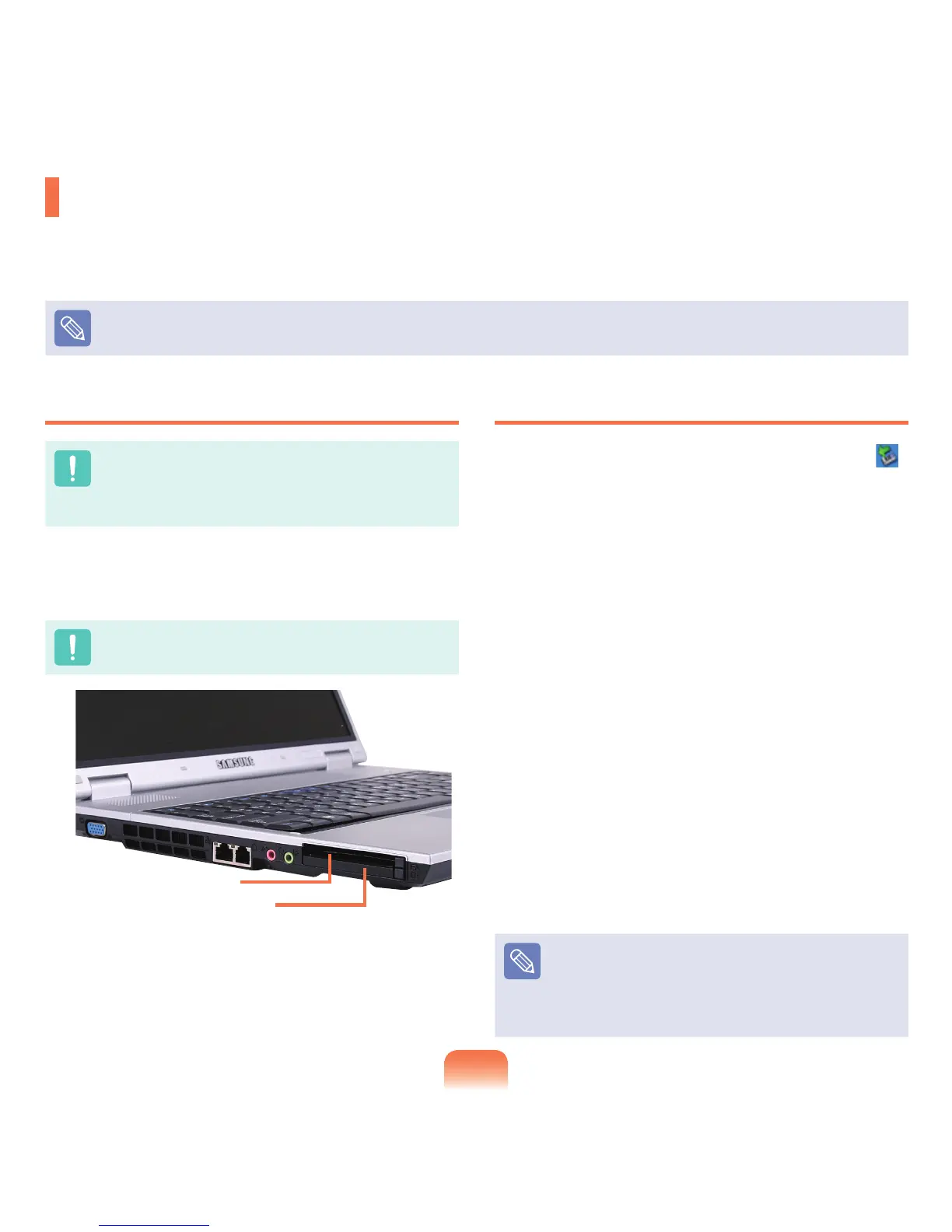
YoucanusevarioushardwaresupportingPCMCIAandPCIExpressinterfacesviathePCcardslot.Thiscomputer
provides2cardslotsandsupports16/32bit,typeIorIIPCMCIAcardsandExpressCardtypes.
YoucaninsertaExpressCardintheupperslotandaPCMCIAcardinthelowerslot.
The PC card slot does not support a ZV card or a PCMCIA III card.
ExpressCard Slot
PCMCIA Card Slot


 To Next Page