46
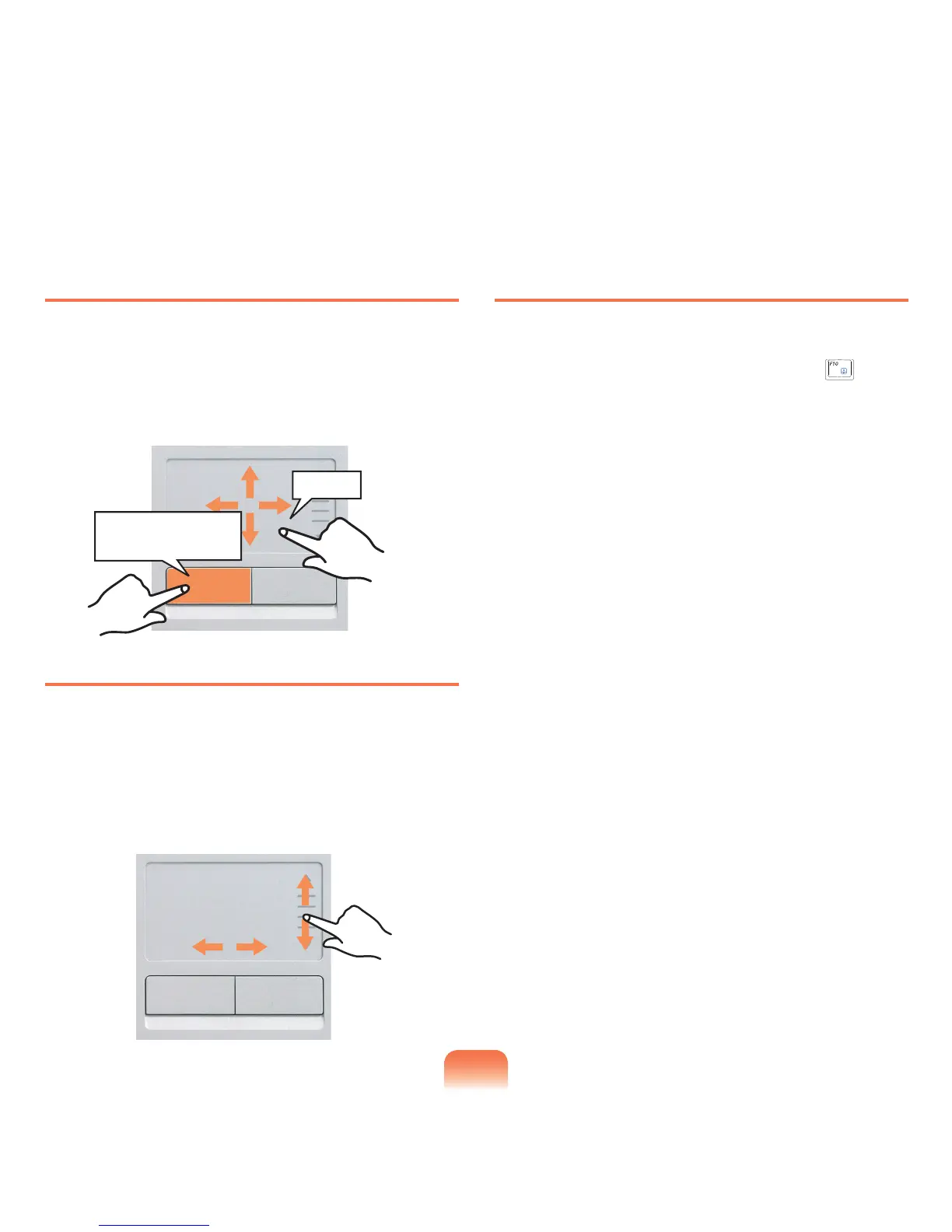
Drag Function
Dragging refers to moving an item to another place after
selecting it.
Pressandholddownthelefttouchpadbuttonoveran
item you want to drag and move the item to the new
location.
Touchpad Scroll Function
The touchpad scroll area provides the mouse wheel
function (scroll function).
Placeyourngeronthetouchpad’srightedgeforvertical
scrollingorthebottomedgeforhorizontalscrollingand
thenmoveyourngeralongtheedgetoscrollthescreen
verticallyorhorizontally.
Touchpad On/Off Function
If you want to use the mouse only without using the
touchpad, you can turn the touchpad off.
To lock the touchpad function, press the Fn + ( ) keys.
Holding down the left
touchpad button
Move



 To Next Page