15
Proper Posture
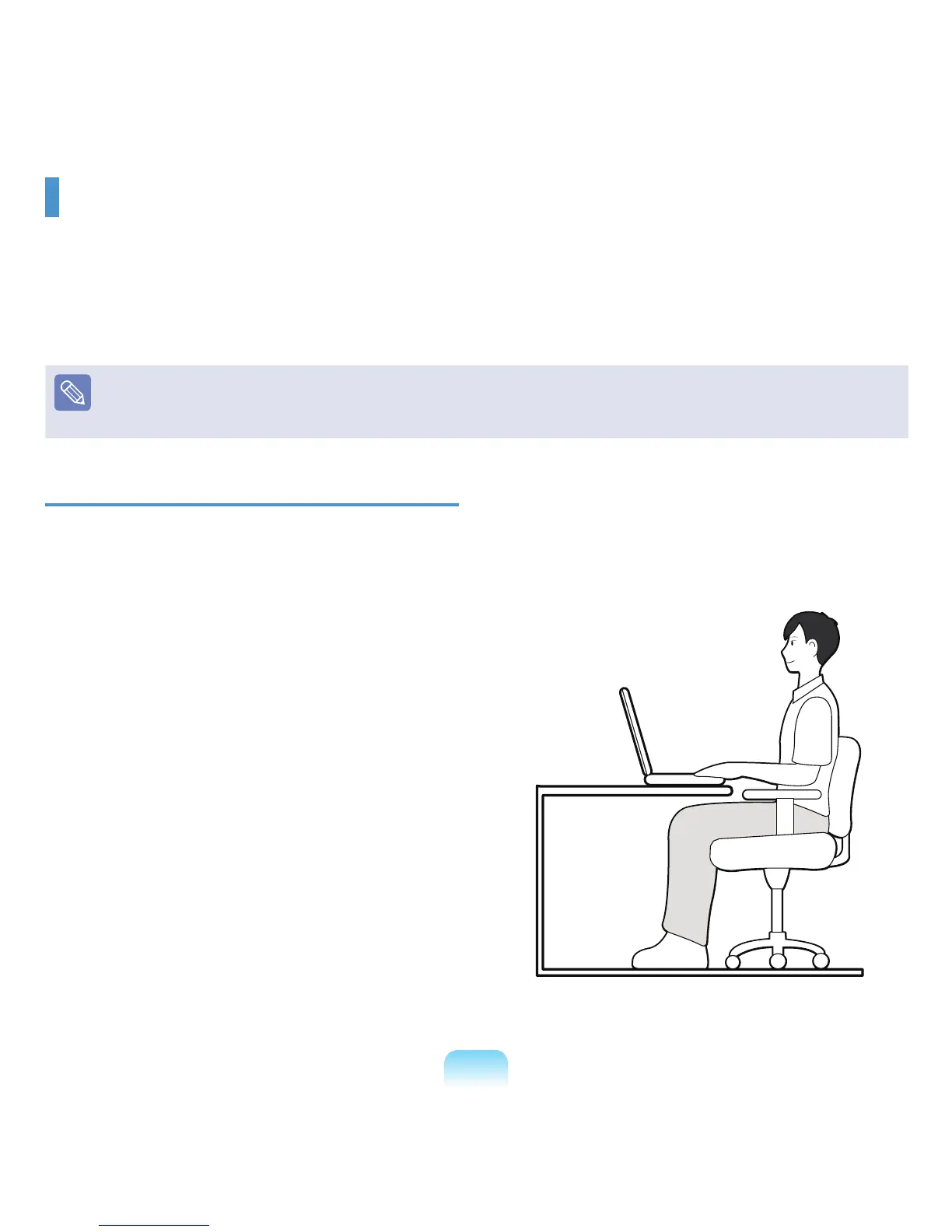
Adjust the heights of desks and chairs appropriate to
your height.
Theheightsaretobeadjustedsothatyourarmformsa
rightanglewhenyouplaceyourhandoverthekeyboard
while sitting down on a chair.
■ Adjusttheheightofchairsothatyourheelis
comfortablyplacedontheoor.
■ Donotusethecomputerwhileyouarelyingdown,but
only while you are sitting down.
■ Donotusethecomputeronyourlap.Ifthecomputer
temperatureincreases,thereisadangerofburning
yourself.
■ Workwhilekeepingyourwriststraight.
■ Useachairwithacomfortableback.
■ Keepthecenterofyourlegweightnotonthechairbut
on your feet when you are sitting on a chair.
Proper Posture During Computer Use
Maintaining a proper posture during computer use is very important to prevent physical harm.
Thefollowinginstructionsareaboutmaintainingaproperpostureduringcomputerusedevelopedthroughhuman
engineering. Please read and follow them carefully when using the computer.
Otherwise,theprobabilityof(RSI:RepetitiveStrainInjury)fromrepeatedoperationsmayincreaseandserious
physicalharmmaybecaused.
Theinstructionsinthismanualhavebeenpreparedsothattheycanbeappliedwithinthecoverageofgeneralusers.Iftheuseris
notincludedinthecoverage,therecommendationistobeappliedaccordingtotheuser’sneeds.
SincethisiscommonlyappliedtoSamsungComputers,someguresmaydifferfromactualones.



 To Next Page