36
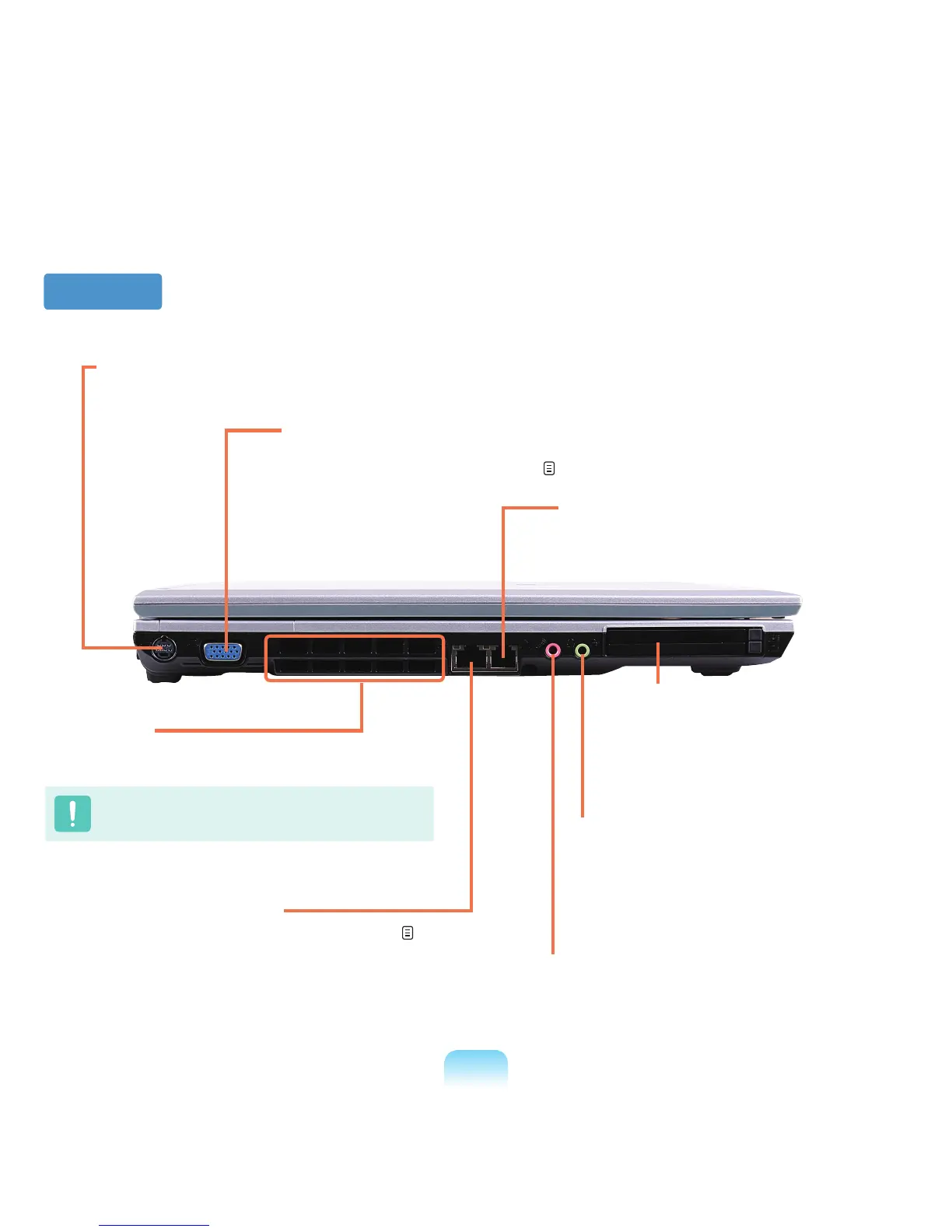
Left View
3 Fan Vents
The internal heat of the computer is emitted through
these holes.
Iftheventsareblockedthecomputermayoverheat.
Avoidblockingtheventsasthismaybedangerous.
4 Wired LAN Port
*
ConnecttheEthernetcabletothisport. p. 80
5 Modem Port
*
Aporttowhichatelephonecableisconnected
to in order to dial up to the Internet.
2 Monitor Port
Aportusedtoconnectamonitor,TVorprojector
supportinga15pinD-SUBinterface.
p. 57
1 TV Output Port
APortusedtoconnectaTVtodisplaythecomputerscreenontheTV.(S-VideoSupport)
6 Microphone Jack
Ajackusedtoconnectthemicrophone.
8 PC Card Slot
A slot into which a PC card is inserted.
7
Headphone Jack (S/PDIF Support)
YoucanconnectaheadphoneorS/PDIF(digital
output,opticalcablesupport)cable.Youcan
connecttoanexternaldigitalamplierusingthis
portandenjoymulti-channelsurroundsound.



 To Next Page