54
To Insert and Use a Memory Card
1
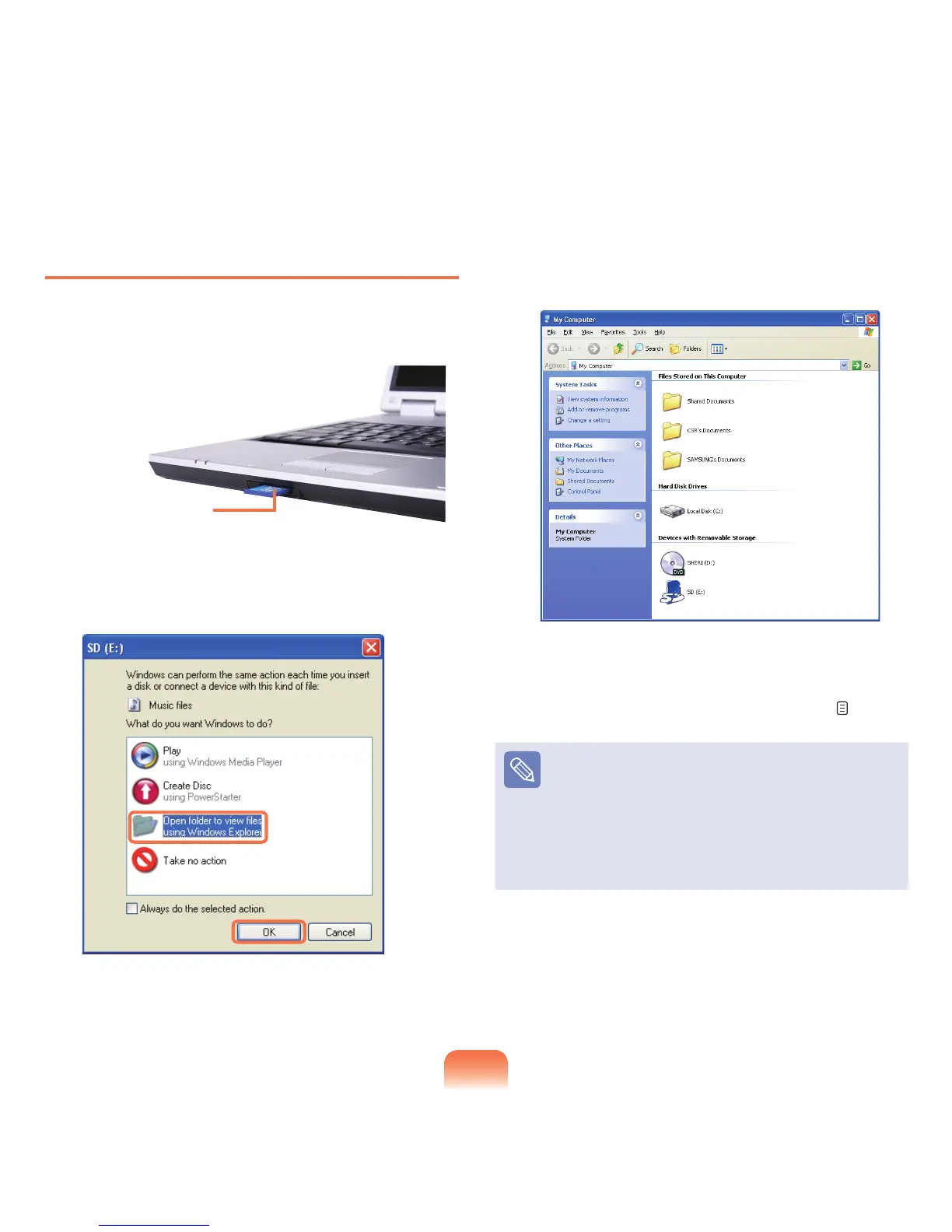
Insert a card into the slot according to the directions
printed on the slot.
2
Click Start > My Computer. The inserted memory
card is displayed.
3
Youcansave,moveanddeletedatabydouble-
clicking the corresponding drive.
Since you can only use the card after formatting it,
if it is not formatted, format the card referring to the
descriptions of “To format a memory card”. p. 55
Using a Memory Stick Duo, Mini SD and RS-MMC
Sincetheabovecardsaretoosmall,youcannotinsert
the cards into the slot directly.
Insert the card into the dedicated adapter and then
insert the adapter into the multi card slot.
However,theMemoryStickDuomaynotberecognized
properly depending on the adapter status.
Example) SD Card



 To Next Page