65
Selecting Digital Output in the DVD Player Program
Touse5.1channelspeakers,youneedtoinstalltheCyberLinkPowerDVDprogramfromtheCyberLinkDVDSolution
Installation CD (or System software Media) provided with your computer, then change the settings as per the following.
TheCyberLinkPowerDVDprogramisoptionalandmaynotbeprovideddependingonthemodel.
1
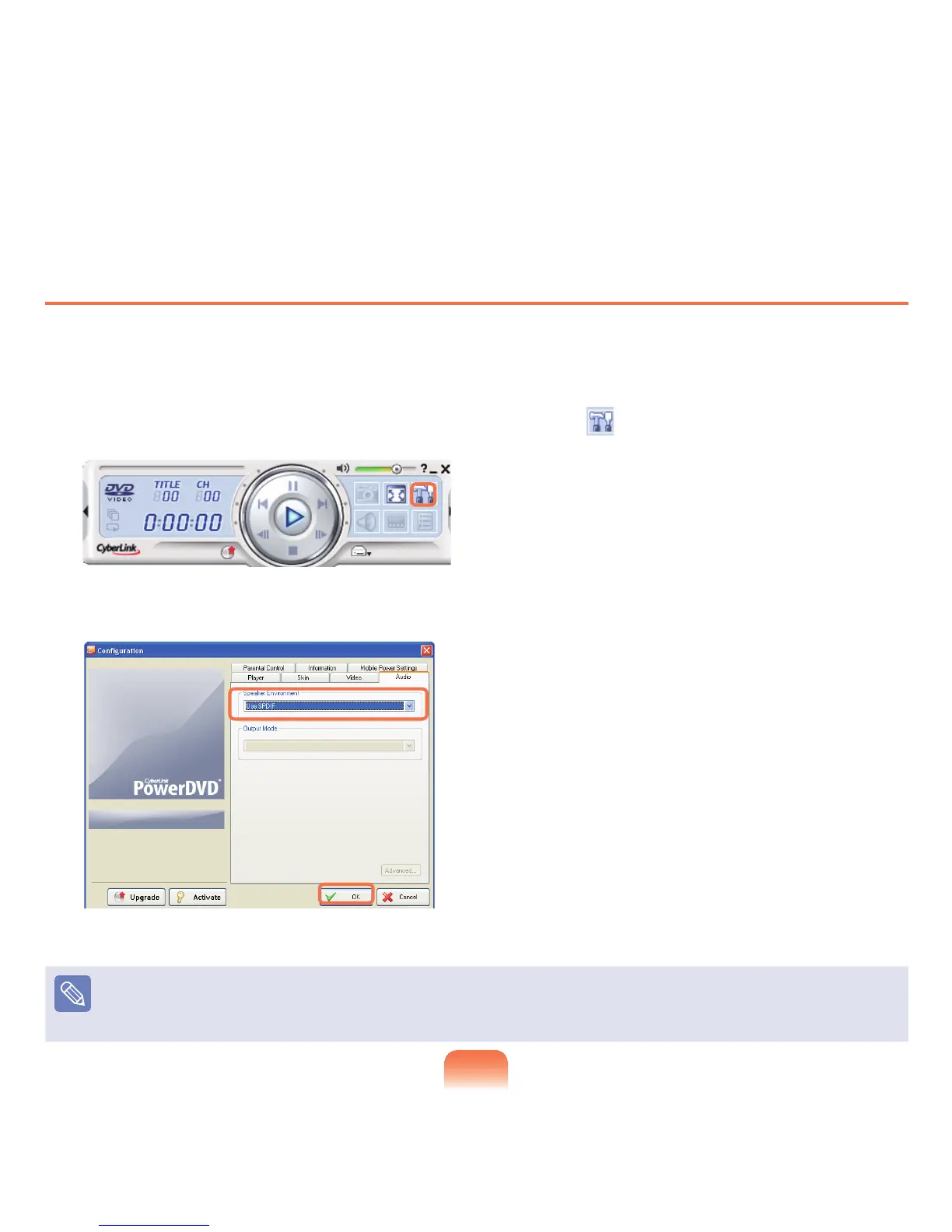
RunCyberLinkPowerDVDprogramandclicktheConguration icon ( ).
2
On the Audiotab,settheAudioOutputsettingtoUse SPDIF and click OK.
Now,youcanenjoyhometheaterusingDVDtitles.
To control volume for your 5.1 channel speaker, use the control on the digital amp. (Please refer to the speaker manual.)


 To Next Page
 Loading...








