22
Preparations
1
1 Preparations
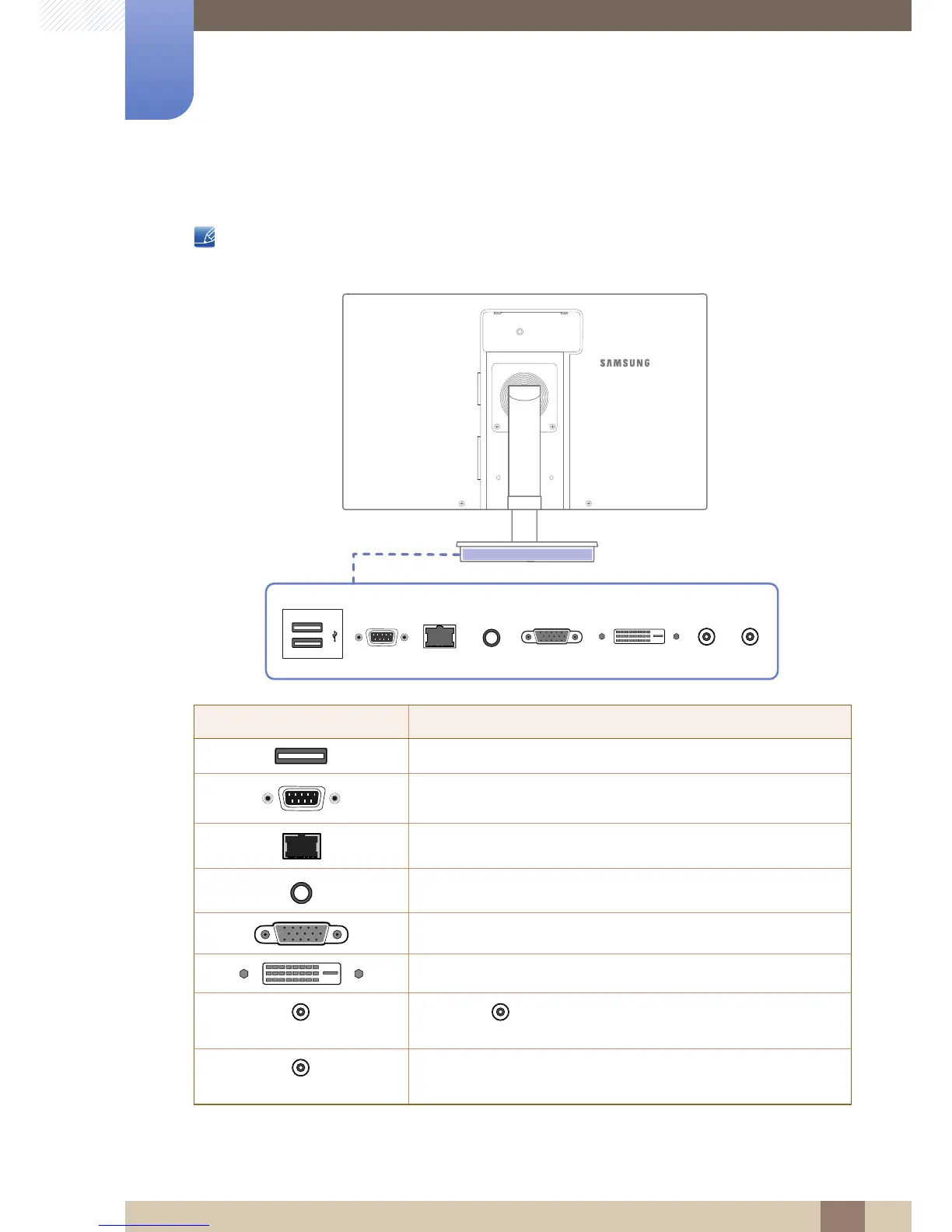
1.2.2 Reverse Side
The color and shape of parts may differ from what is shown. Specifications are subject to change
without notice to improve quality.
Port Description
Connect to a USB device.
Device which support RS-232C connection (interface) can be
connected.
Connect to a network using the LAN cable.
Connect to an audio output device such as headphones.
Connect to a secondary monitor using the D-SUB cable.
Connect to the stand base or primary monitor using the DVI cable.
[DC 14V OUT]
Connect to [DC 14V] on the monitor using the monitor power
cable.
[DC 14V IN]
Connect to the DC power adapter.














 To Next Page