EasyManua.ls Logo

Samsung SyncMaster NS240 - Initializing Settings (Reset

Samsung SyncMaster NS240
122 pages
Print Icon
To Next Page IconTo Next Page
To Previous Page IconTo Previous Page
Loading...
88
7 Setup and Reset
7
Setup and Reset
7.1 Reset
Return all the settings for the product to the default factory settings.
7.1.1 Initializing Settings (Reset)
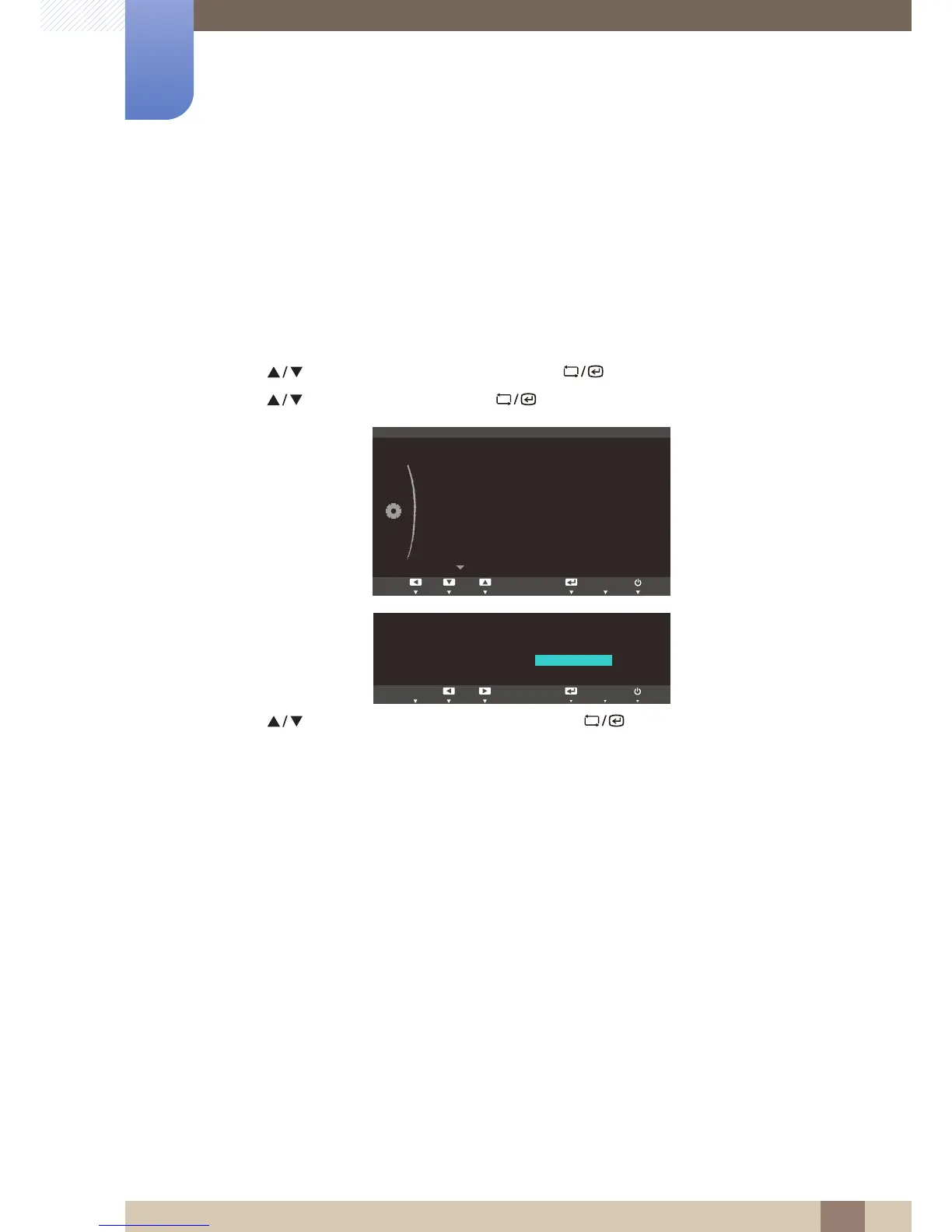
1 Press [ ] on the product.
2 Press [ ] to move to SETUP&RESET and press [ ] on the product.
3 Press [ ] to move to Reset and press [ ] on the product. The following screen will appear.
4 Press [ ] to move to the option you want and press [ ].
5 The selected option will be applied.

M
ENU
ࢇࢷ֩Ѝ ۴ࢇѰ
SETUP&RESET
Off
English
Acceleration
Reset
Language
Off Timer On/Off
Off Timer Setting
PC/AV Mode
Key Repeat Time
Customized Key
ࢇࢷ֩Ѝ ۴࣏ࢽ
ࢇࢷ֩Ѝ
࣏ࢽ
۴
AUTO
SAMSUNG
MAGIC
Angle
Reset all settings?
Yes No
AUTOEXIT

Table of Contents

Related product manuals