54
Using "PCoIP"?
2
2 Using "PCoIP"?
2.3.7 <User Settings> Window
The <User Settings> window allows the user to access window tabs that define the mouse and
keyboard settings and the PCoIP image quality.
The tabs in the User Settings menu are:
z <Mouse>
z <Keyboard>
z <Image>
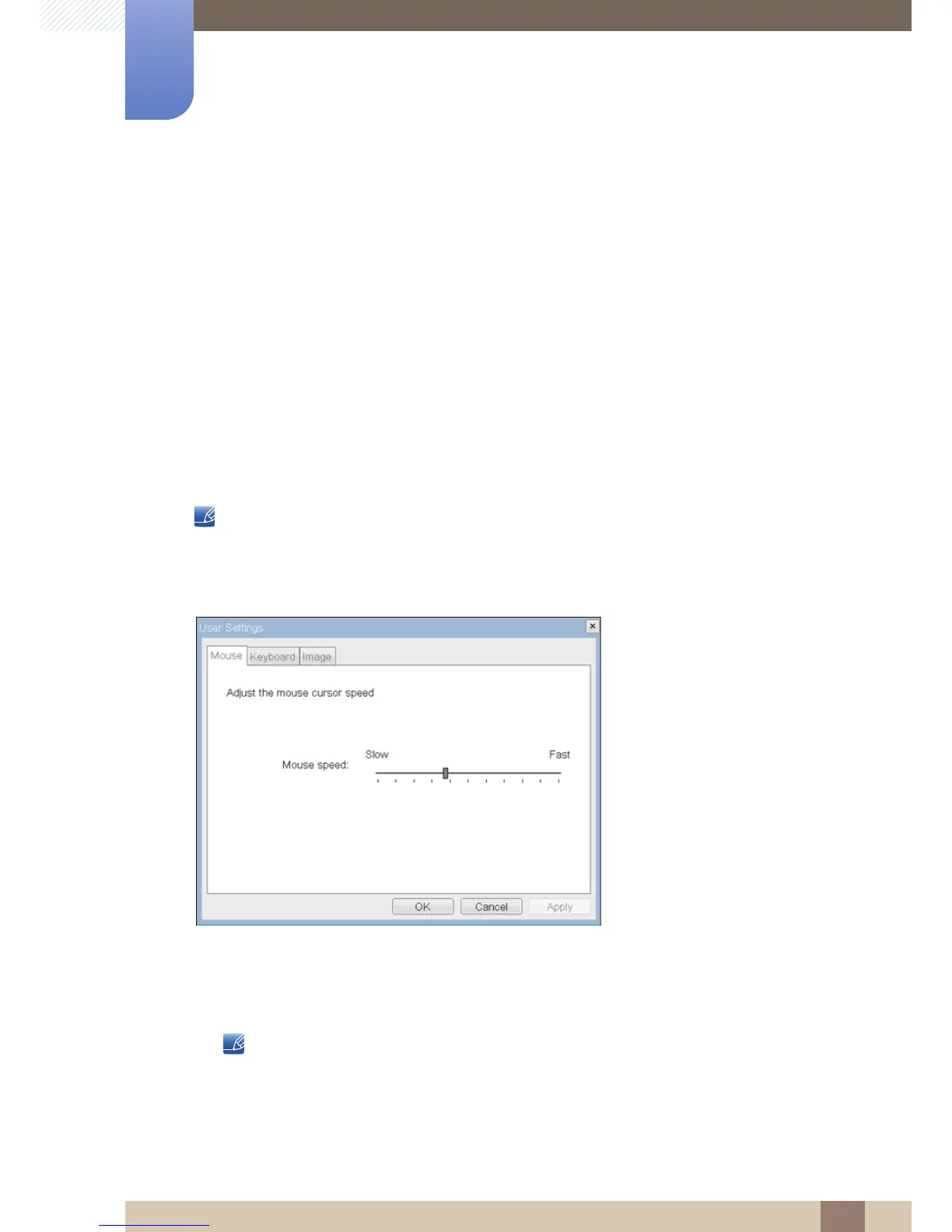
<Mouse> Tab
The <Mouse> tab allows a user to change the mouse cursor speed settings for the OSD and RDP
sessions.
The OSD mouse cursor speed setting does not affect the mouse cursor settings when a PCoIP session
is active unless the Local Keyboard Host Driver function is being used (see PCoIP Host Software User
Guide for more information).
Figure 2-19: <Mouse>
z <Mouse Speed>
The <Mouse Speed> field allows the Portal mouse cursor speed to be configured.
The <Mouse Speed> can also be configured via the PCoIP Host Software. For more information
on using the PCoIP Host Software, refer to the PCoIP Host Software User Guide for more
information.














 To Next Page