62
Connecting and Using a Source Device
3
3 Connecting and Using a Source Device
3 Press [ ] to change the input source to Digital.
Audio is not available if the PC and product are connected via the [DVI] port.
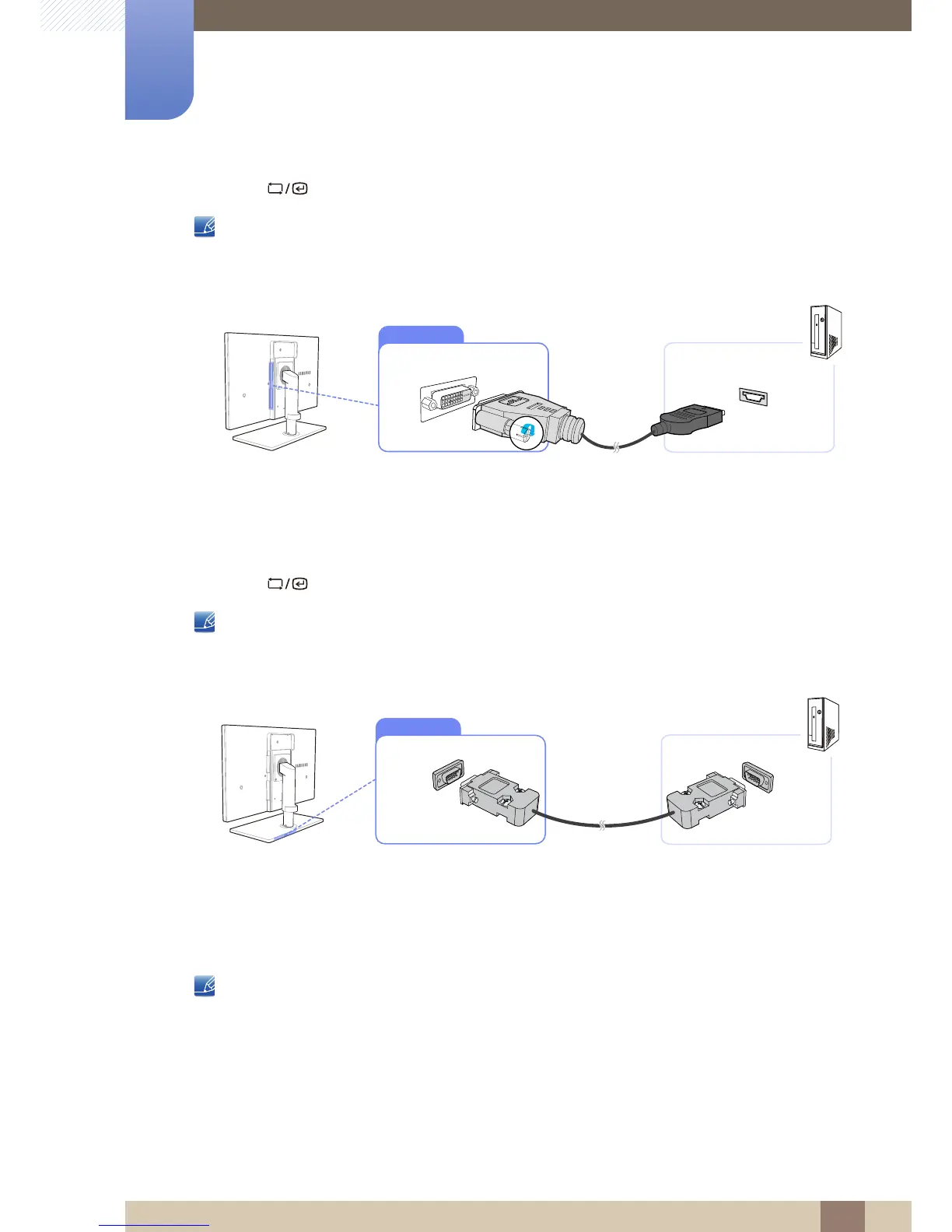
Connection Using an HDMI-DVI Cable
1 Connect the DVI cable to the [DVI IN] port on the back of the product and the HDMI port on the PC.
2 Connect the DC power adapter to the product and a power socket. Next, turn on the power switch
on the PC.
(For details, refer to "3.3 Connecting the Power".)
3 Press [ ] to change the input source to Digital.
Audio is not available if the PC and product are connected via the [DVI] port.
Connection Using a Serial Cable
1 Connect the RS-232C cable to [SERIAL] on the back of the product and [SERIAL] on the PC.
2 Connect the DC power adapter to the product and a power socket. Next, turn on the power switch
on the PC.
(For details, refer to "3.3 Connecting the Power".)
Device which support RS-232C connection (interface) can be connected.














 To Next Page