Chapter 2. Loading Your Desired File
19
Transferring Music Files/
Installing Samsung Media Studio
Installing Samsung Media Studio
Use Media Studio to transfer music
files from your PC to the player.
Loading Your Desired File
Before you start!
Insert the installation CD provided with the player into the CD-ROM drive.
If Media Studio is not installed automatically
■ Install the program on PCs running Windows 2000 or Windows XP after logging on with the
Administrator account. Please refer to the PC user manual on how to log on with the Administrator
account.
CAUTION
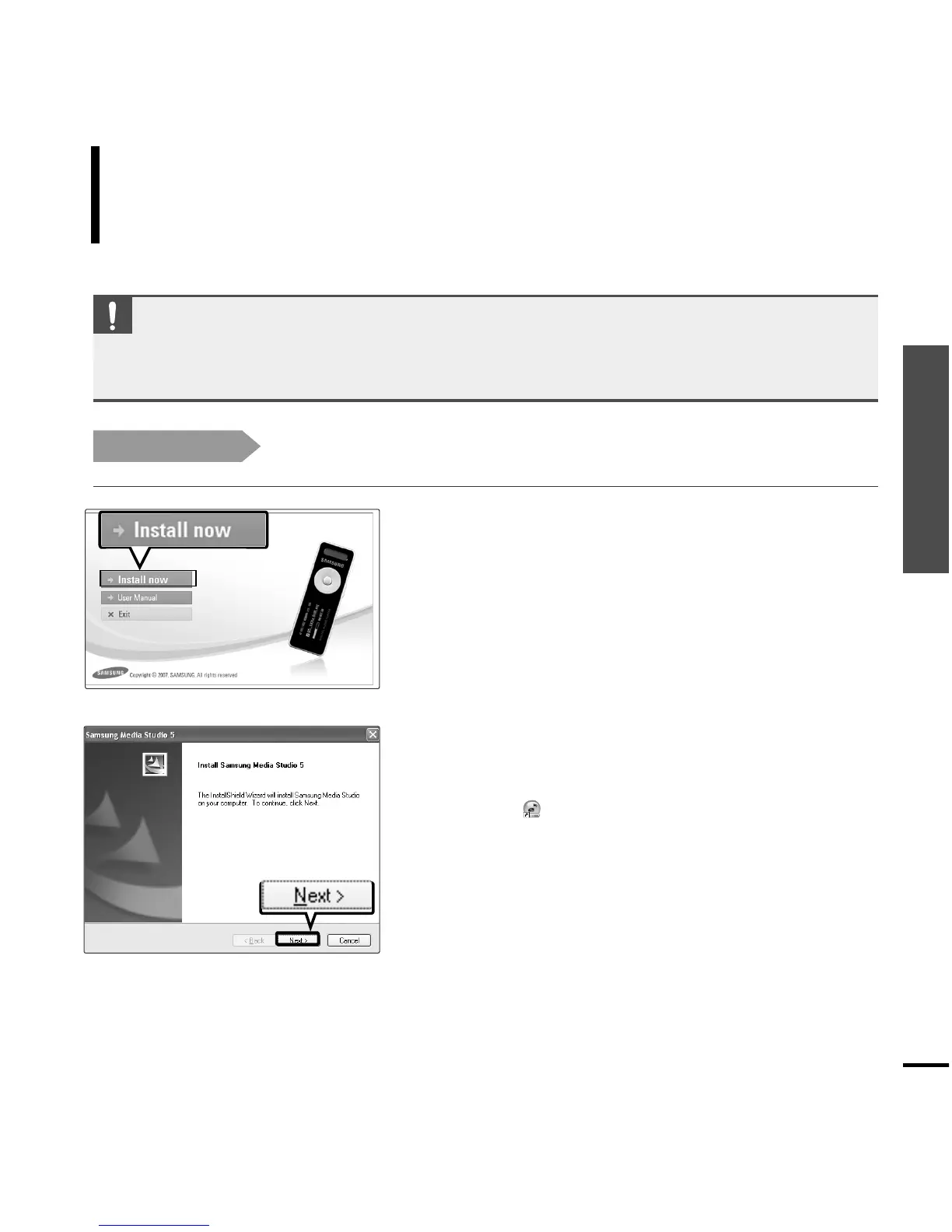
1
Click <Install now>.
2
Click <NEXT>.
■ Media Studio installation starts.
■ An icon is created on the desktop after installation
is complete and Media Studio starts.



 To Next Page