Chapter 4. Settings
51
Setting the Display/
Setting Language
Settings
Setting Language
Set the language for the menu and track information (ID3-Tag).
1
Press and hold the [ ] button to move to the
menu screen.
2
Press the [
lœœ
,
√√l
] button to select <Settings>
and then press the [ ] button.
■
The Settings menu appears.
3
Press the [ + , - ] button to select the
<Language> and then press the [ ] button.
■
The Language menu appears.
4
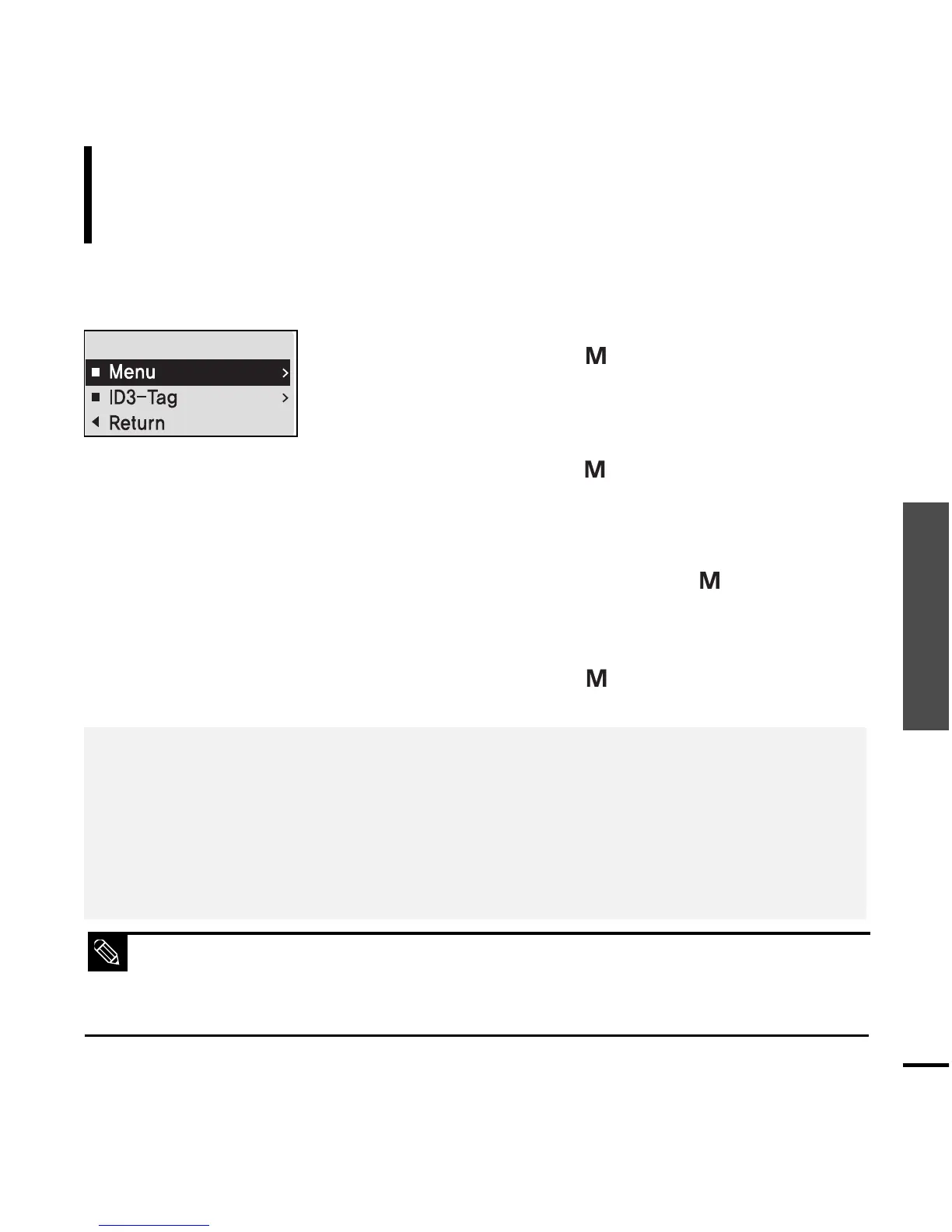
Use the [ + , - ] and [ ] buttons to set necessary
functions.
■ The supported languages can be changed or added.
■
What is ID3-Tag?
This is what is attached to an MP3 to carry information relevant to the file, such as the title, artist, album, year,
genre and a comment field.
NOTE
■
<Menu> : Set the menu language. Select from <Chinese(S)> <Chinese(T)> <Dutch> <English>
<French> <German> <Hungarian> <Italian> <Japanese> <Korean> <Polish> <Portuguese>
<Russian> <Spanish> and <Swedish>.
■
<ID3-Tag> : Set the track information language.Select from <Afrikaans> <Basque> <Catalan>
<Chinese(S)> <Chinese(T)> <Czech> <Danish> <Dutch> <English> <Estonian> <Finnish>
<French> <German> <Greek> <Hrvatski> <Hungarian> <Icelandic> <Italian> <Japanese>
<Korean> <Norwegian> <Polish> <Portuguese> <Romany> <Russian> <Slovak> <Slovene>
<Spanish> <Swedish> <Thai> <Turkish> and <Vietnamese>.



 To Next Page