Chapter 2. Loading Your Desired File
27
Using as a Removable Disk/
Disconnecting from your PC
Disconnecting from your PC
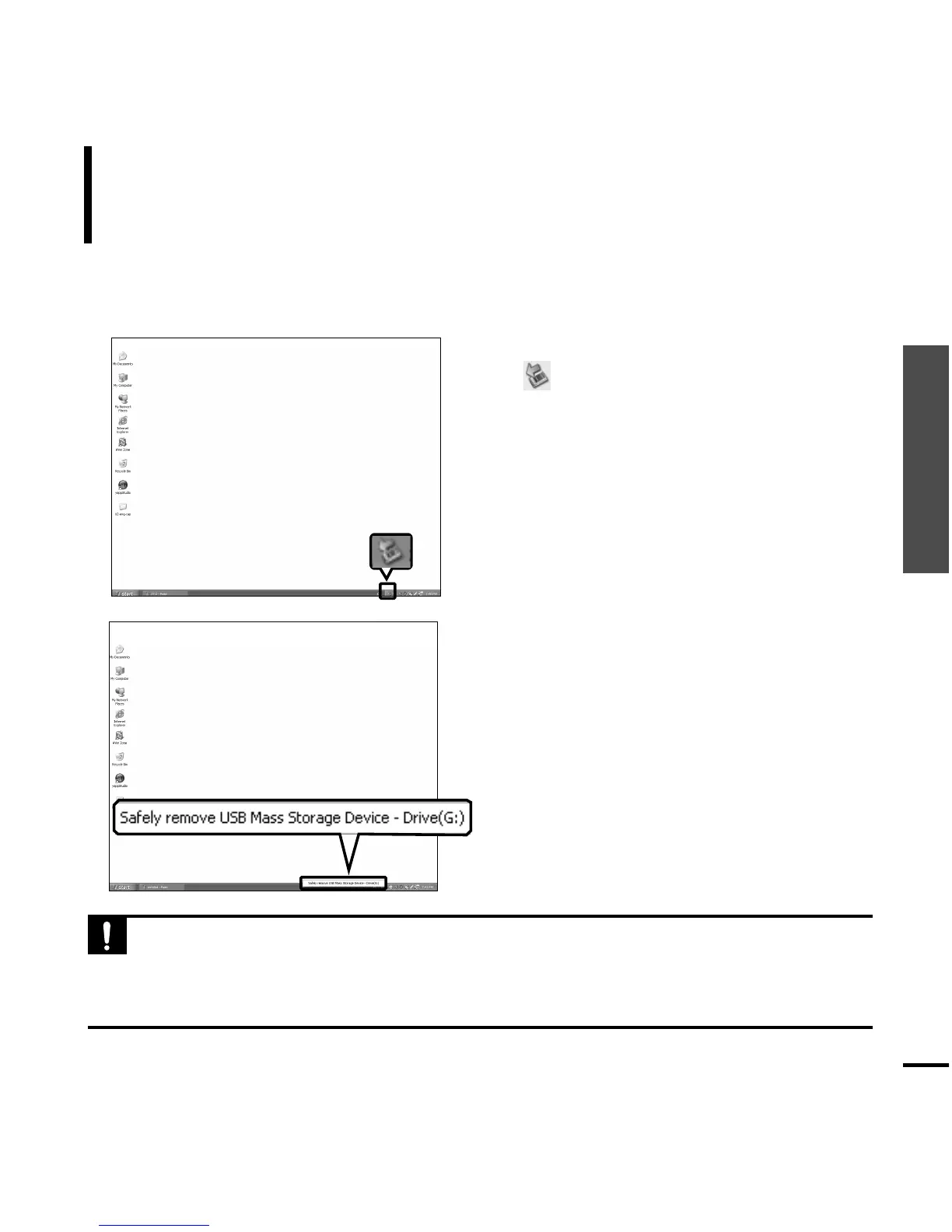
Follow the steps below to prevent damage to the
player and data when disconnecting from your PC.
1
Place the mouse cursor on top of the
@ icon on the taskbar at the bottom
right corner of the desktop and click
the left mouse button.
2
Click the <Safely Remove USB Mass
Storage Device Drive> message.
■ Once you clicked <Safely Remove USB
Mass Storage Device Drive>, the
player
could not be recharged with power even if
it is connected to the PC.
3
Disconnect the player from your PC.
■
Do not disconnect the player from the PC during file transfer. This may cause damage to data
and the
player
.
■
You cannot remove the hardware while files within the player are being played on your PC. Please
retry after file playback is finished.
CAUTION
1
2



 To Next Page