the basics _ 11
YOUR MP3 PLAYER (Continued)
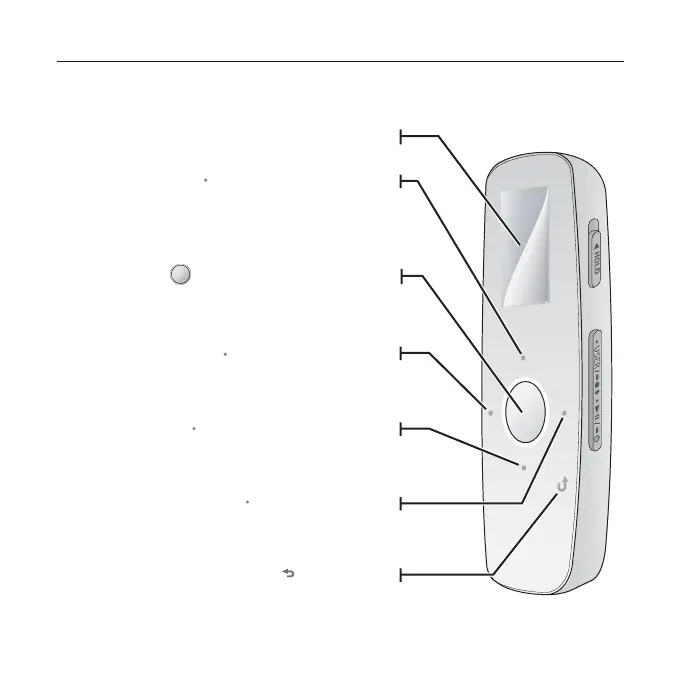
These buttons are ‘Touch Sensitive’ buttons.
Screen display
Right fi le browser button
Tap to move to the next track/menu.
Press and hold to quickly scan tracks.
Up volume button
Tap to increase the volume or move to an
upper item/menu.
Left fi le browser button
Tap to move to the previous track/menu or play
the current track from the beginning.
Press and hold to quickly scan tracks.
Down volume button
Tap to reduce the volume or move to a lower
item/menu.
Back button
Tap to move to the previous screen.
Press and hold to move to the main menu
screen.
Play/Pause, Select button
Tap to select play/pause and a
function, or move to the next screen.



 To Next Page