18 _ the basics
DISABLING THE BUTTONS
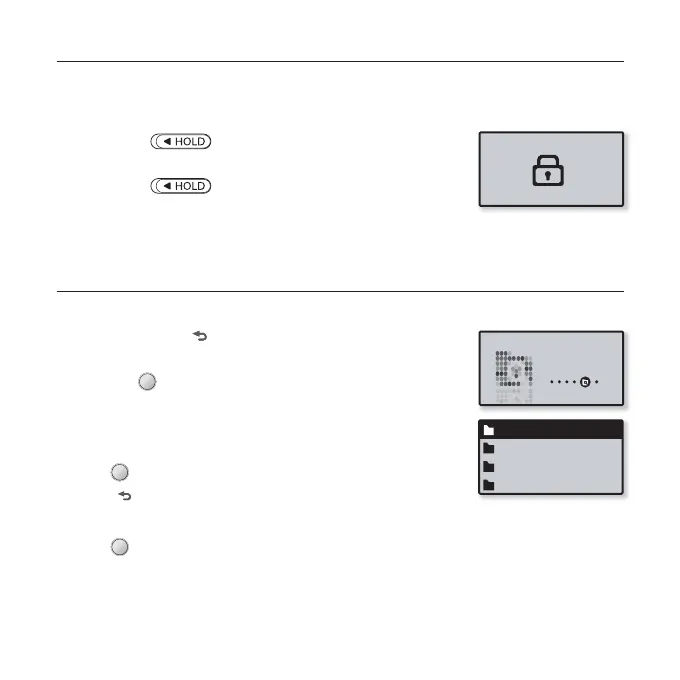
The hold function disables all the other buttons on the mp3 player, so that if
you accidentally bump one, while working out for example, your music won’t be
interrupted.
1. Slide the [ ] switch in the direction of the arrow
to enable the Lock function
2. Slide the [ ] switch in the opposite direction of
the arrow to release the Lock function.
BROWSING FOR FILES USING “File Browser”
Search easily for fi les using the “File Browser” function.
1. Press and hold [ ] to move to the main menu screen.
2. Tap the [Left, Right] button to select <File Browser>
and tap [ ].
The <File Browser> folder list containing “Music, Playlists,
Datacasts, and Recorded Files” appears.
3. Tap the [Up, Down] button to select a desired folder.
4. Tap [ ] to bring up the fi le list in the selected folder.
Tap [ ] to move to the previous screen.
5. Tap the [Up, Down] button to select a desired fi le.
6. Tap [ ].
The fi le will start playing.
Music
Playlists
Datacasts
Recorded Files
File Browser



 To Next Page