listening to music _ 47
CREATING A PLAYLIST USING
SAMSUNG MEDIA STUDIO (Continued)
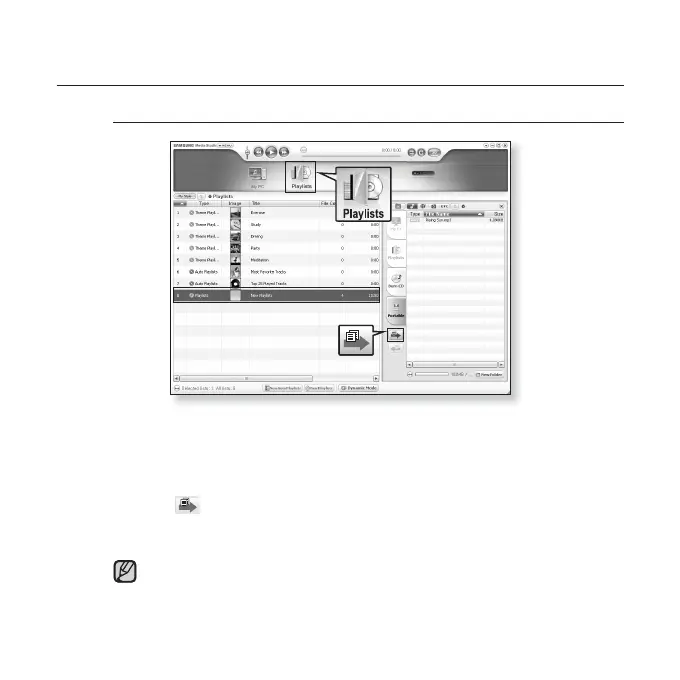
Transferring a Playlist to your player using Media Studio
1. Click <Playlists> on the top of <Media Studio>.
The <Playlists> window appears.
2. Select a playlist in the <Playlists> section.
3. Click .
The selected playlist will be transferred to the player in <Music> ĺ <Playlists>.
The player can play up to 400 music fi les for each playlist.
1
3
2
YP-U4[MTP]
[YP-U4[MTP]]...
NOTE



 To Next Page