the basics _ 17
PLAYING MUSIC
Load music fi les onto your new mp3 player using Samsung Media Studio.
Learn more about Media Studio on page 39.
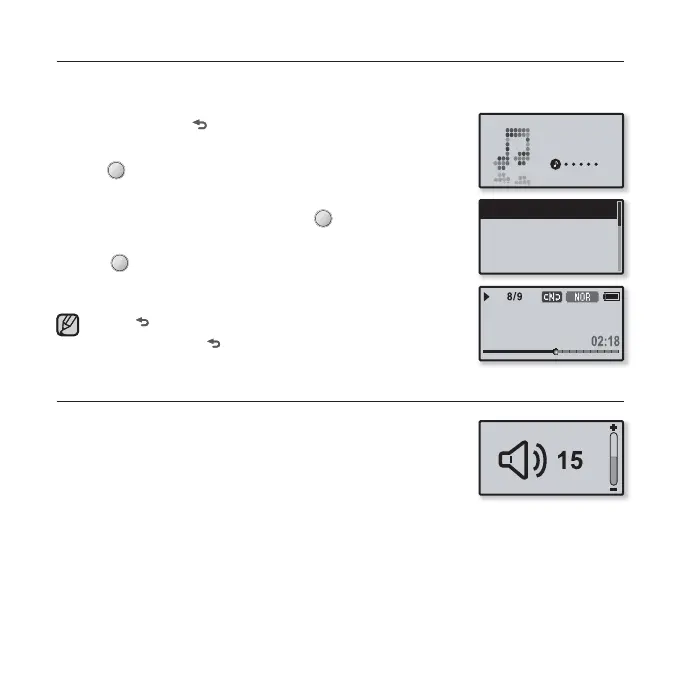
1. Press and hold [ ] to move to the main menu screen.
2. Tap the [Left, Right] button to select <Music> and
tap [ ].
The <Music> list will appear.
3. Use the [Up, Down] button and [ ] to select a music
fi le of your choice.
4. Tap [ ] to play the selected music fi le.
The music fi le will begin playing.
Tap [ ] to move to the previous screen.
Press and hold [
] to move to the main menu screen.
CONTROLLING THE VOLUME
Tap the [Up, Down] button.
You will see a volume control icon.
The volume range is 00 to 30.
Tap the [Up] button to increase the volume and tap the
[Down] button to decrease it.
NOTE
Music
Now Playing
Artists
Albums
Songs
Rising Sun



 To Next Page