10 _ the basics
YOUR MP3 PLAYER
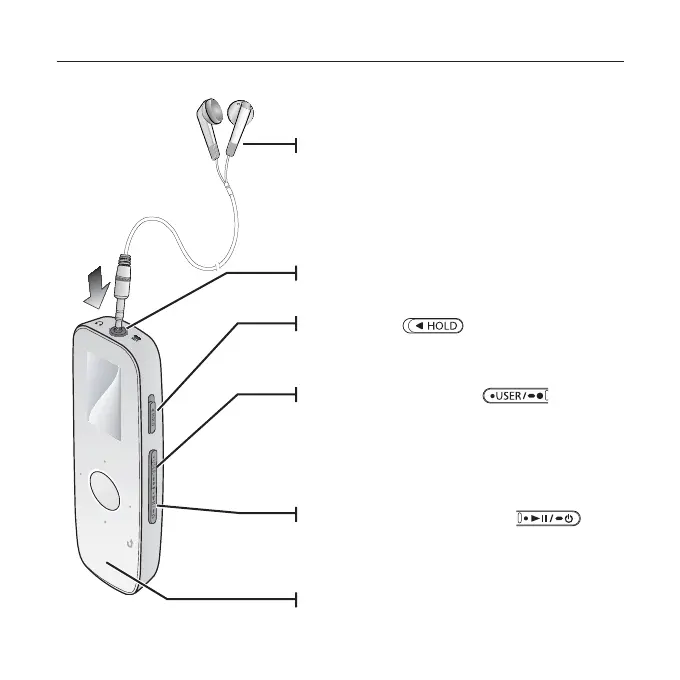
Earphones
Labeled “L” for the left earpiece and “R”
for the right earpiece. Also serves as an
antenna for FM Radio in the MP3 player.
Earphone connection jack
Power & Play/Pause button
Press and hold for power on/off.
Press for play/pause.
LED Lighting
Hold switch
Slide in the direction of the arrow to lock the
button functions.
User/Recording button
Press to set section repetition, DNSe,
Play Speed, Play Mode.
Press and hold to start/stop FM radio or Voice
recording.



 To Next Page