more than music _ 61
2
USING DATACASTS (Continued)
Creating a New Channel Group
You can create a new group to manage channels by the category.
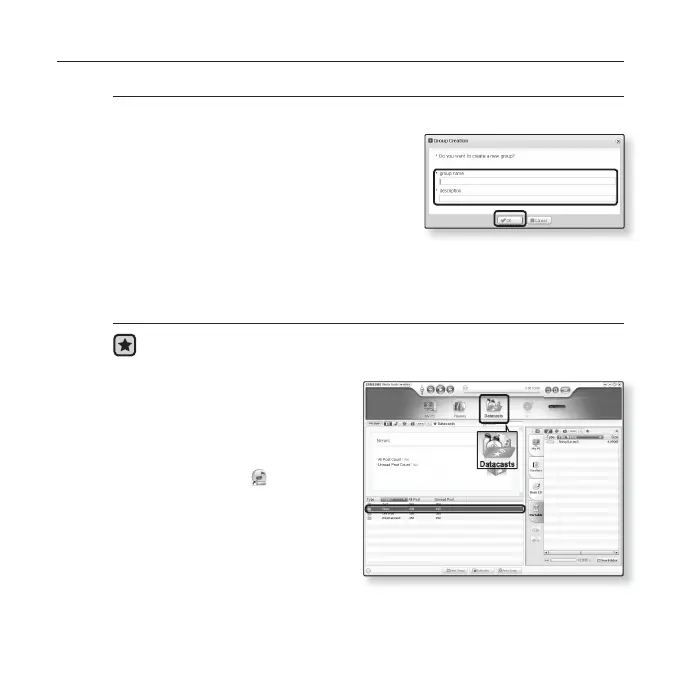
1. Click <New Group> on the bottom of
<Datacasts> of <Media Studio>.
2. Type in a group name and description
and click <OK>.
Transferring a Datacast from <Media Studio>
Before you start - Connect the player to your PC.
Media Studio must be installed on your PC. See page 38.
1.
<Media Studio> will
automatically start when the
player is connected to your PC.
If the program does not start
automatically, double click the
<Media Studio>
icon on the
desktop.
2. Click <Datacasts> on the top
of <Media Studio>.
Datacasts group channel list
appears.
3. Click a desired group channel.
2
3
[YP-U4[MTP]] > M..
YP-U4[MTP]



 To Next Page