40 _ samsung media studio
TRANSFERRING FILES TO THE PLAYER WITH
SAMSUNG MEDIA STUDIO (Continued)
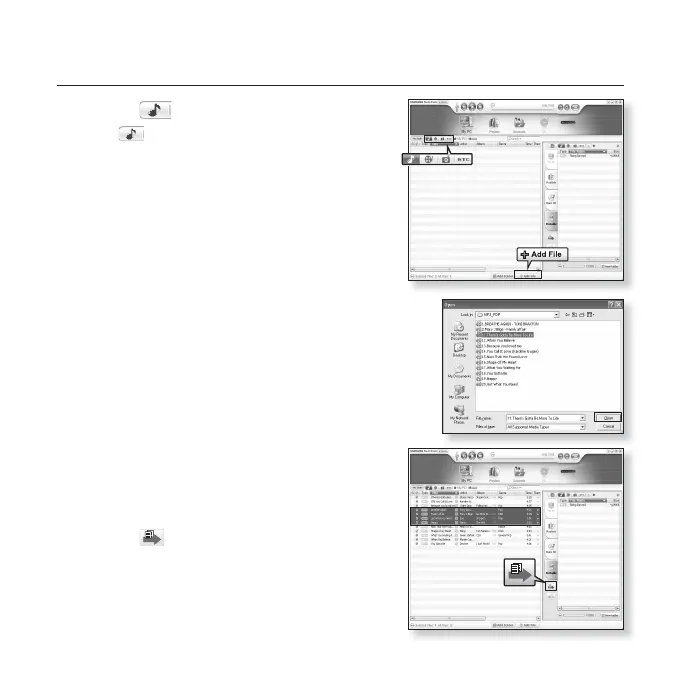
3. Click the icon.
Click to display music list.
4. Click <Add File> on the bottom of
<Media Studio>.
The <Open> window will appear.
5. Select the fi les to add and click <Open>.
The fi les are added to the list on the left side of the
<Media Studio> Screen.
6. Select the fi le to transfer from the list on the
left side.
7. Click the icon.
The fi le you selected is transferred to the player.
5
YP-U4[MTP]
[YP-U4[MTP]] > M...
3
4
7
6
YP-U4[MTP]
[YP-U4[MTP]] > M...



 To Next Page