52 _ listening to music
USER BUTTON CUSTOM FUNCTION (Continued)
To set Section Repeat
This function enables you to listen to specifi c parts of a track repeatedly.
It’s helpful when learning a language.
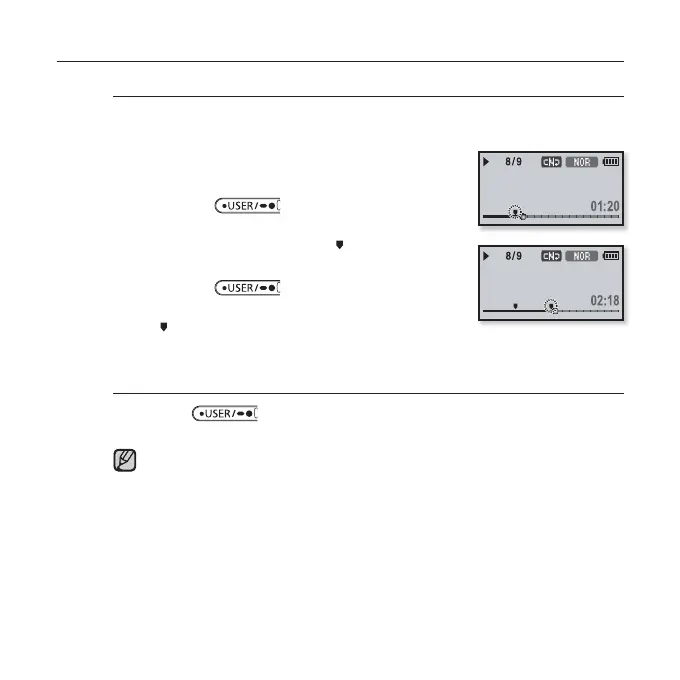
1. Set the User Button Mode to <Repeat A-B>
and play a fi le of your choice.
2. Press the [ ] button at the beginning
of the section you want to repeat.
The starting point is set and < > mark will appear
on the play status bar.
3. Press the [ ] button again to set the
ending of the section you want to repeat.
< > mark will appear on the play status bar and the
specifi ed section starts to play repeatedly.
To cancel Section Repeat
Press the
[ ] button again during Section Repeat.
Section Repeat will be canceled.
Section Repeat will be automatically canceled in the following case.
The starting point of the section repeat is set but the ending point is not set
until after the current track ends.
You can’t specify the end point in less than 3 seconds after the start of the
section repetition.
Rising Sun
Rising Sun
NOTE



 To Next Page