16
4.2.3 Bypass mode
4 Operation
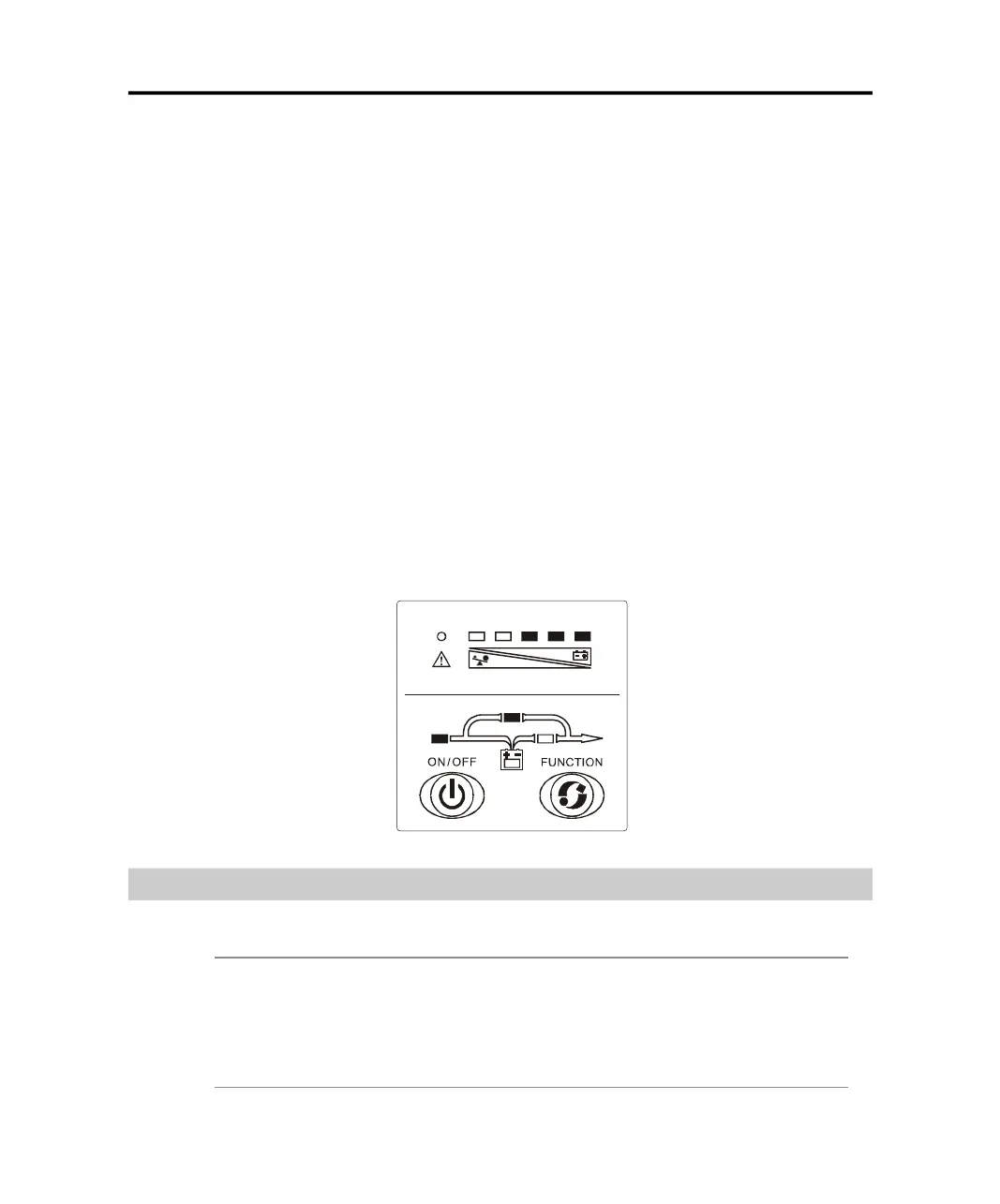
When operating in bypass mode set up through WinPower software, the
display on the front panel is show in the following diagram. The utility
power indicator and the bypass indicator are turn on. The load/battery ca-
pacity indicator will be turned on in accordance with the load capacity
connected. The UPS beeps every 2 seconds.
1. If the utility power indicator blinks, it shows that the voltage or frequency of
the utility power is out of the input range of the UPS or there are problems
with reversed polarity (L/N) of site wiring or disconnect to the ground for
protection.
2. Other display on the front panel is same as those mentioned in normal mode.
3. When operating in bypass mode, the backup function of the UPS is not
available and the power used by the load is directly from the utility power
via internal EMI filter.
34.
4.3.1 Turning On and Completely Powering Down the UPS
Operating Instructions
Note
:
The battery is fully charged before delivery. However, storage and
transportation will inevitably cause some charge loss. Therefore, it is
advisable to charge the battery for 10 hours before using it, so as to
ensure adequate battery autonomy.
PDF created with pdfFactory Pro trial version www.pdffactory.com



 To Next Page