10
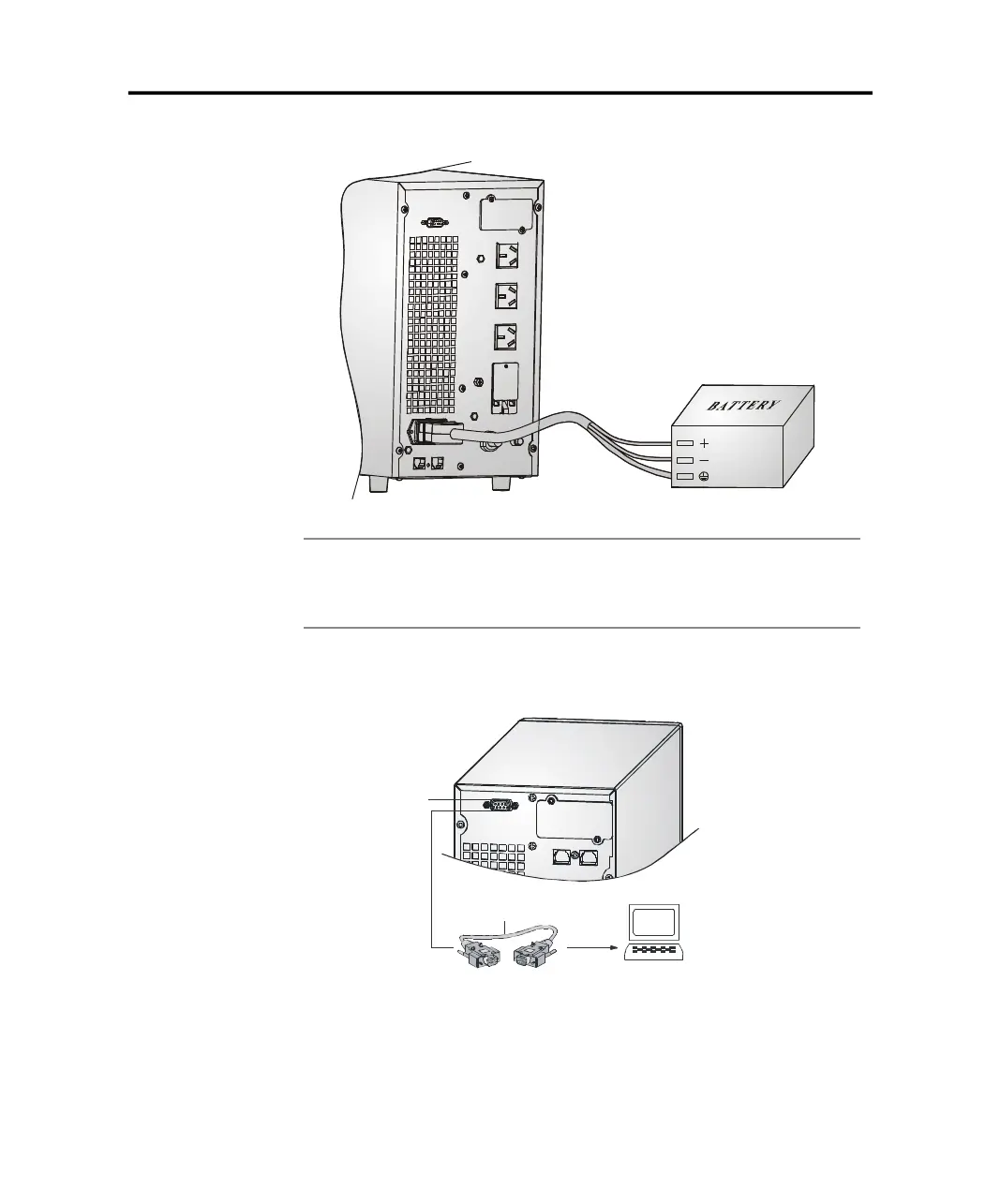
Computer Interface
Computer
Communication cable
3.3.3 Connecting Communication Cable
1. Computer interface
4.Connect the plug of the external battery cable to the external battery socket
on the rear panel of the UPS to complete the connection procedure.
Figure 3-4 Battery connection diagram for Long Backup time models
Note
:
The length of the external battery cable is normal, If users need a longer
one, please consult the distributor. There is a limit to the length of the
external battery cable to ensure normal operation of the UPS.
3 Installation
computer interface: The type of signals, serial command (RS232), is provided by
the UPS to communicate with a host computer. User can use
WinPower software(download from the web of santak) to
monitor the UPS through the port.
PDF created with pdfFactory Pro trial version www.pdffactory.com



 To Next Page