12
4 Operation
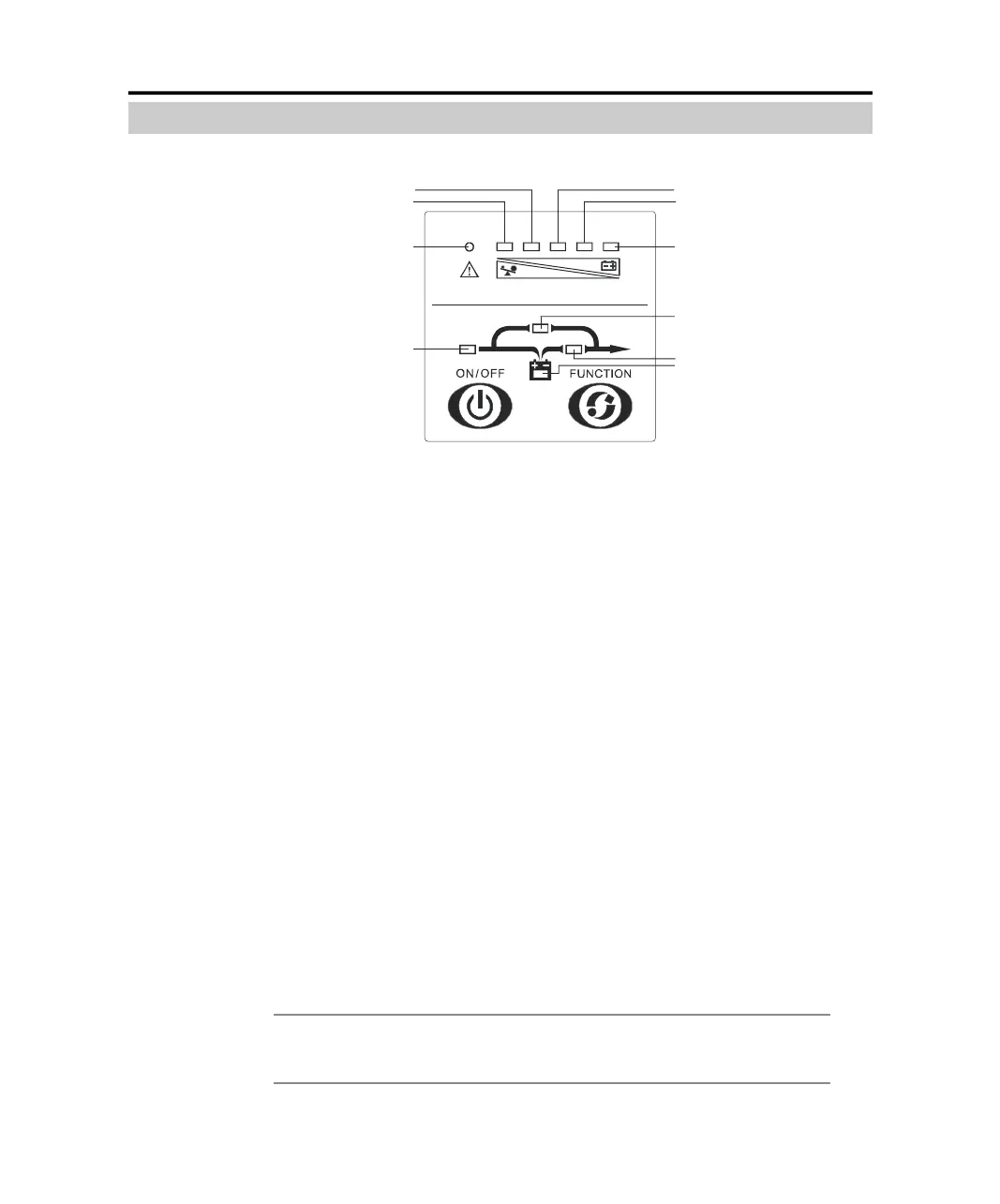
Introduction of Display Panel
14.
1. ON/OFF button:
The ON/OFF button provides the following functions:
1) Turn on UPS system:
By pressing the ON/OFF button more than 1 second, the UPS system is
turned on.
2) Turn off UPS system:
By pressing this button more than 1 second turns off the UPS system when-
ever the UPS run under the normal mode/battery mode.
2. Function button
The Function button provides the following functions:
1) Battery self-diagnosis
When the UPS ran in normal mode, pressing the button for more than 2
seconds can start the battery self-diagnosis.
2) Silence function in battery mode
In battery mode, when the buzzer beeps, pressing and holding the function
button for more than 2 seconds can silence the buzzer. Press the button for
more than 2 seconds again to resume the alarm function
Note: The alarm silencing function of the Function button is valid only in battery
mode, and invalid for any other UPS alarm.
3#Load/battery capacity indicator:
2#Load/battery capacity indicator:
1#Fault indicator:
8#Utility power indicator:
4#Load/battery capacity indicator:
5#Load/battery capacity indicator:
6#Load/battery capacity indicator:
7#Bypass indicator:
9#Inverter indicator :
10#Battery indicator:
PDF created with pdfFactory Pro trial version www.pdffactory.com



 To Next Page