−40−
●If the display will not change when an input signal is applied
(measurement is not possible), a probable cause is a blown fuse.
●Since this instrument employs the means value system for its
AC voltage measurement circuit, AC waveform other than sine
wave may cause error.
5-8 How to use optional products
Never apply an input signals exceeding the maximum rating
input value of optional products.
WARNING
5-8-1
AC Clamp Probe (CL-20D) Maximum measurement value AC 200 A
<Measurement procedure> (See Fig 14, page 17)
①Connect the black plug of the current probe to the COM − input
terminal and the red plug to the + input terminal.
②Set the function switch at "V /〜" function.
③Select the select switch at " 〜" and set the 4 V range with the
range hold switch.
④Select either 20 A or 200 A with selector knob of clamp probe.
⑤Open the clamp part, have electric line (one line) clamped.
⑥Read the value on the display in A unit and when current probe
of the 20 A range after multiplying indicated value by 10, and the
200 A range after multiplying indicated value by 100.
⑦After measurement, open the clamp part and release clamp probe
from the electric wire.
⑧Turn the function switch to the position of OFF.
5-8-2
DC・AC Clamp Probe (CL-22AD) Maximum measurement value DC/AC 200 A
<Measurement procedure> (See Fig 15, page 18)
①Connect the black plug of the current probe to the COM −
terminal and the red plug to the + terminal.
②Set the function switch at "V /〜" function.
③Select the select switch at " " (DC) or "〜" (AC).
④Set the 400 mV range (at DC measurement) or 4 V range (at AC
measurement) with range hold switch.
⑤Select either 20 A or 200 A with selector knob of clamp probe.
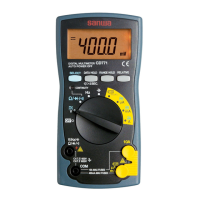
probe to make the display of the CD731a show "000.0".
⑥Open the clamp part, have electric wire (one line) clamped.


 To Next Page