42
Moisture Analysis
Operating Instructions Moisture Analyzer MA160
Printing Out the Analysis Report
If a lab printer is connected, you can print out the result of the moisture analysis.
t Select a.
y The analysis report is printed out.
The settings for the analysis report can be configured in the system settings [see
section “Printout” in chapter “System Settings (Setup Menu)”]. Further information
and an example of an analysis report can be found in chapter “ISO/GLP Report.”
Removing a Sample
Danger of Burns due to Hot Sample Pan!
The sample and sample pan may be very hot.
– Do not touch the sample pan.
– Use sample forceps (included in delivery) to remove the sample.
Remove sample
Remove old sample from sample
chamber.
y When you have exited the measurement by selecting OK, you can remove the
sample from the moisture analyzer.
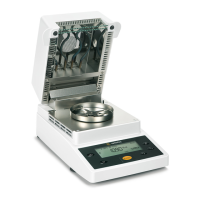
t Open the hood.
t Remove the sample pan from the moisture analyzer using sample forceps.
t Close the hood.
t Allow the sample to cool down and dispose of it properly.


 To Next Page