10 MICRA SATEL
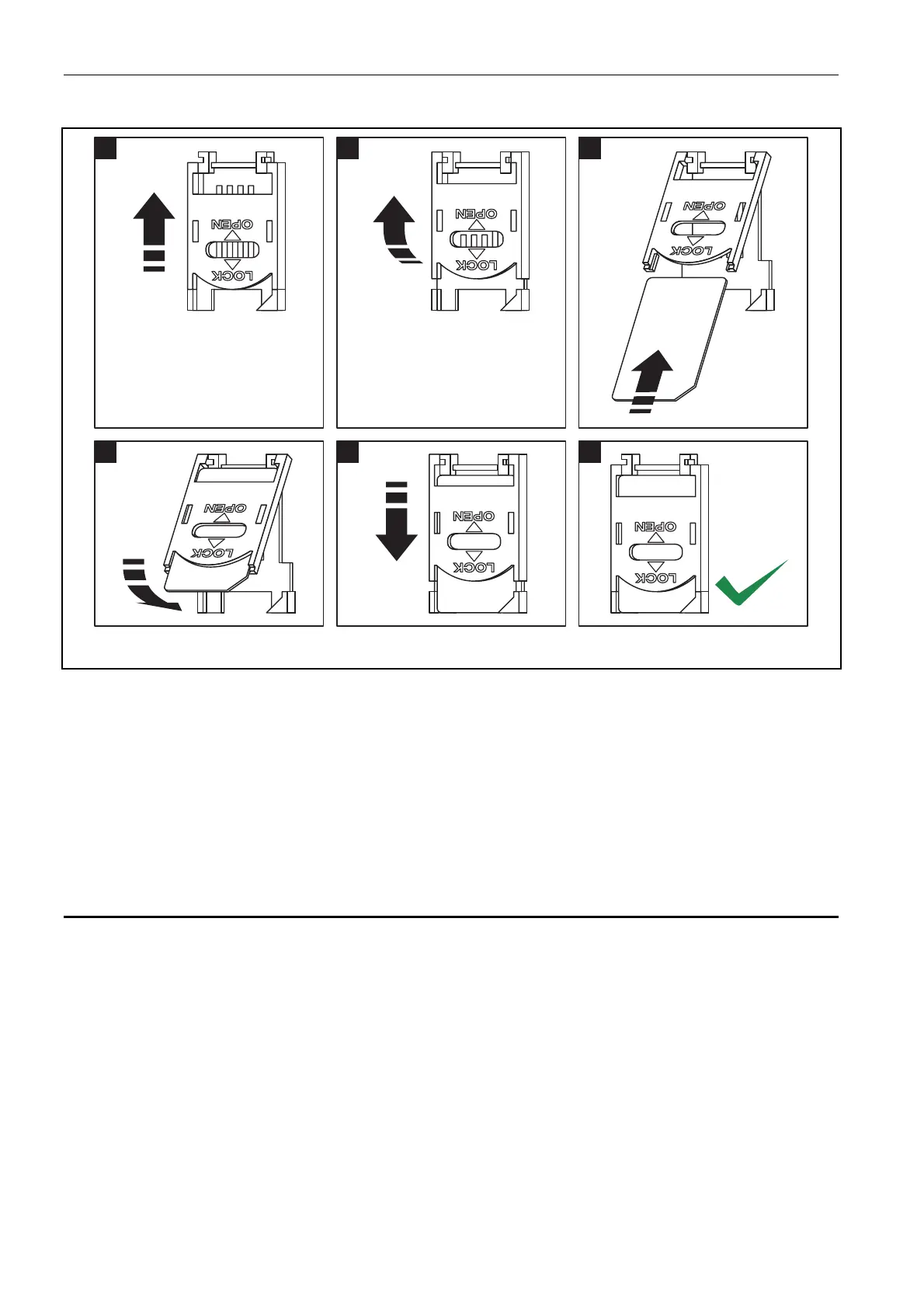
11. Insert the SIM card into the socket (see: Fig.7).
12
3
4
5
6
Fig. 7. Installing the SIM card.
12. Turn on the module power supply. Logging the telephone into the GSM network may take
a few minutes.
Note: If the SIM card PIN code is inconsistent with that defined in module settings, the
inconsistency will be indicated by the electronics board LEDs (see: Fig.
2 Example F).
The second attempt of using the PIN code will be made after 30 seconds. After the
third attempt to use the invalid PIN code, the SIM card will be blocked. In order to
enter the PUK code and unblock the SIM card, remove it and insert into the mobile
phone.
3.8 WIRELESS DEVICES INSTALLATION
Installation of the wireless devices may only begin after starting the module, when it is
possible to check the quality of communication between the wireless devices and the
module. If transmissions from the intended place of installation fail to reach the module, you
should choose a different installation location. Sometimes, you just need to move the device
from ten to twenty centimeters for the transmissions to be correctly received by the module.
Only then you can install the device permanently.
The MICRA module supports:
1. wireless detectors:
– MSD-300 smoke and heat detector,
– MPD-300 passive infrared detector,
– MMD-300 magnetic contact.
2. wireless keypad MKP-300.
The wireless devices should be registered using the GPRS-SOFT program.



 To Next Page