36 MICRA SATEL
specify in the table whether the code relating to any of these events is to be reported to the
monitoring station.
CLIP T1 – T4 – select the fields of telephones (see: numbers programmed in the "GSM
telephone, Monitoring stations" tab, "Telephone numbers for messaging and test
transmissions" list) which will be informed by means of the CLIP service, if any of the
above described events occurs.
SMS T1 – T4 – select the fields of telephones (see: numbers programmed in the "GSM
telephone, Monitoring stations" tab, "Telephone numbers for messaging and test
transmissions" list) to which an SMS message will be sent to notify about occurrence of
any of the above described events.
SMS – SMS message content that will be sent, if any of the above described events occurs.
The message can contain up to 24 characters.
The rules of programming the reporting related parameters are same, as described in section
"Reporting parameters" (p. 31).
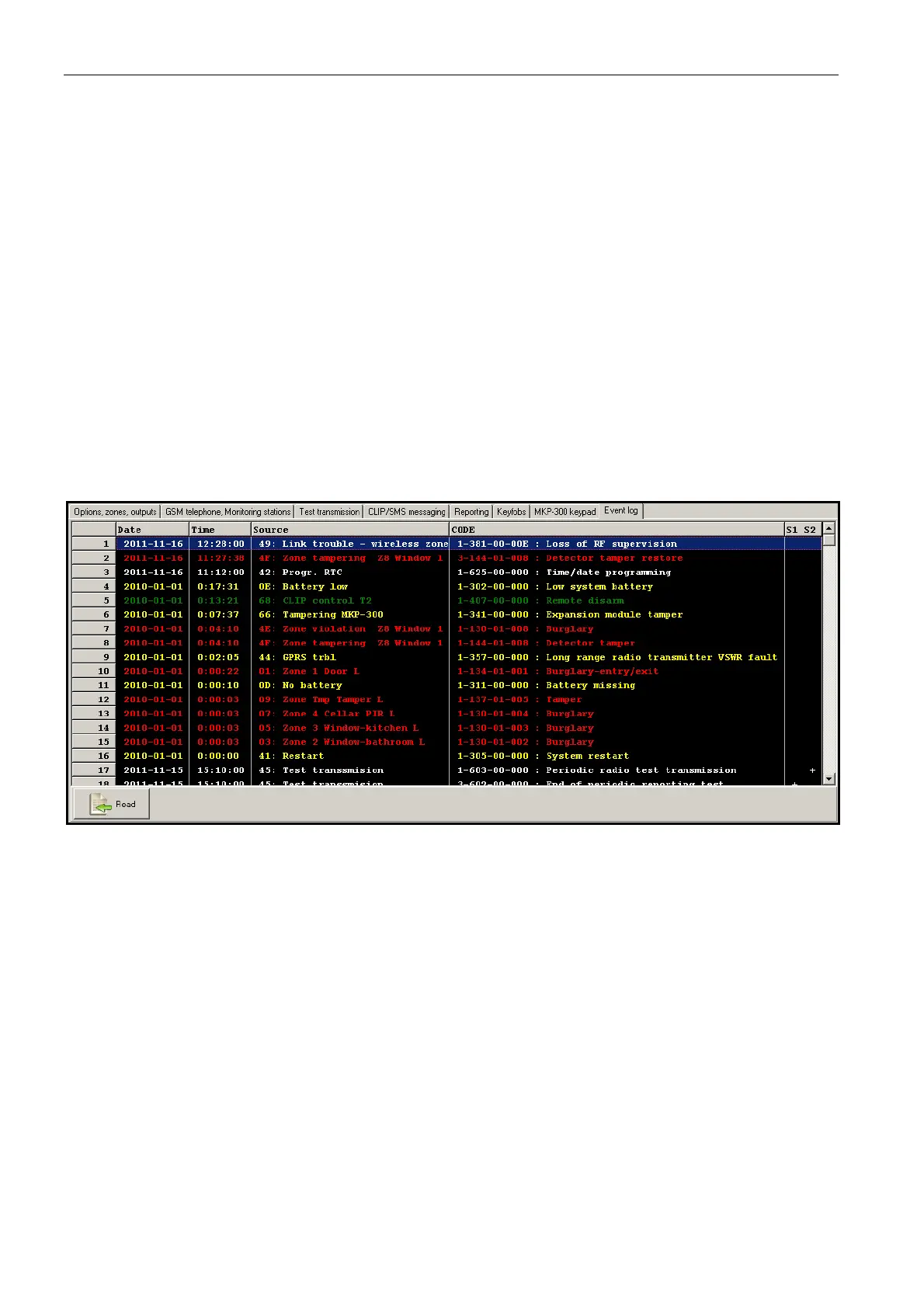
4.3.9 „EVENT LOG” TAB
Fig. 18. „Event log” tab.
The tab presents a list of events. The events are downloaded on pressing the "Read" button
and displayed sorted by date and time in descending order (the latest at the top, the oldest at
the bottom). The following information is presented in individual columns:
Date – date of event occurrence.
Time – time of event occurrence.
Source – what generated the event (e.g. zone, trouble, keyfob button, SMS message
command, etc.). The (R) symbol, which may be additionally put in the field, means restore
(e.g. zone restore, end of trouble).
CODE – code in the Contact ID format and its description, which have been assigned to the
given event (if no code has been assigned to the event in the "Reporting" tab, this field will
remain blank).
S1 S2 – reporting status (S1 – monitoring station 1, S2 – monitoring station 2):
no symbol – the event is not reported.
+ – event successfully reported to the monitoring station.
. – event waiting to be reported to the monitoring station.



 To Next Page