SATEL MICRA 35
the field is selected and the module receives no transmission for an hour, it will generate
a trouble event – the suitable message will be displayed in the GPRS-SOFT program.
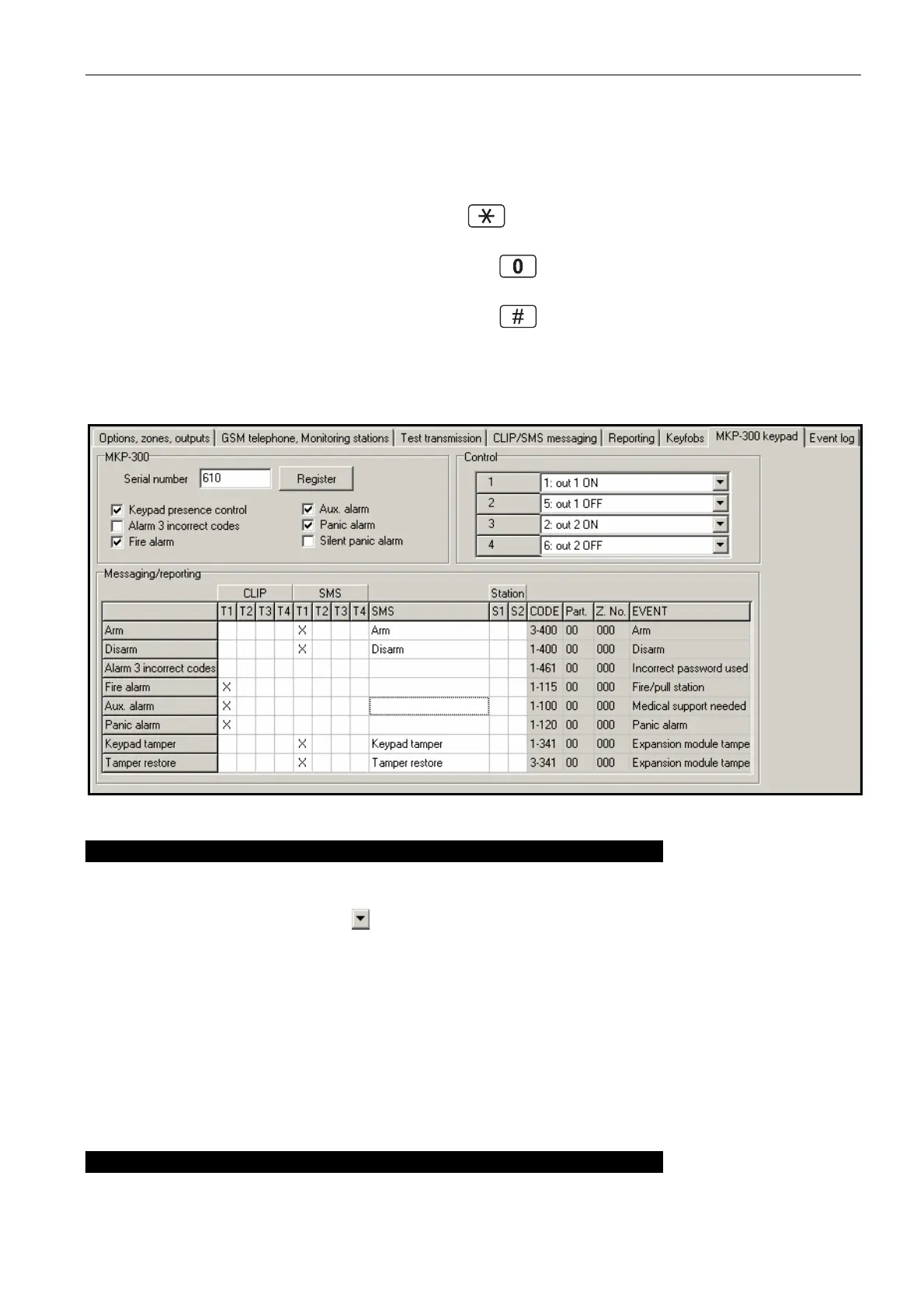
Alarm 3 incorrect codes – if this option is enabled, an alarm will be triggered by entering
three times an invalid code from the keypad.
Fire alarm – if this option is enabled, the module will signal the fire alarm triggered from the
keypad (after you press and hold down the key for about 3 seconds).
Aux. alarm – if this option is enabled, the module will signal the medical alarm triggered from
the keypad (after you press and hold down the key for about 3 seconds).
Panic alarm – if this option is enabled, the module will signal the panic alarm triggered from
the keypad (after you press and hold down the key for about 3 seconds).
Silent panic alarm – if this option is enabled, the panic alarm from the keypad will be treated
as the silent panic alarm (without being signaled on the alarm outputs). The field gets
active after selecting the "Panic alarm" option.
Fig. 17. „MKP-300 keypad” tab.
Control
The output control functions can be assigned to keys 1 – 4. To each of them you can assign
one of the functions below (you can make your choice in the drop-down menu that will be
brought up with a click on the button, or by entering the digit which corresponds to the
selected function):
0: NO
1: out 1 ON,
2: out 2 ON,
3: out 1 ON (time),
4: out 2 ON (time),
5: out 1 OFF,
6: out 2 OFF.
Messaging / reporting
Notifications on using the keypad to arm / disarm the system, trigger an alarm, or on keypad
tamper, can be delivered in form of an SMS message or with the use of CLIP. You can also



 To Next Page