34 MICRA SATEL
„CLIP / SMS messaging” tab
Similarly to notification about other events, the information about the use of a keyfob button
can be conveyed by means of SMS messages or by using the CLIP service.
CLIP T1 – T4 – select the fields of telephones (see: numbers in the list "Telephone numbers
for messaging and test transmissions", programmed in the "GSM telephone, Monitoring
stations" tab), which will be informed about using a button of the given keyfob by means of
the CLIP service.
SMS T1 – T4 – select the fields of telephones (see: numbers in the list "Telephone numbers
for messaging and test transmissions", preprogrammed in the "GSM telephone, Monitoring
stations" tab), to which an SMS message is to be sent to notify about using a button of the
given keyfob.
SMS – content of the SMS message that will be sent on using a button of the given keyfob.
The message may consist of up to 24 characters.
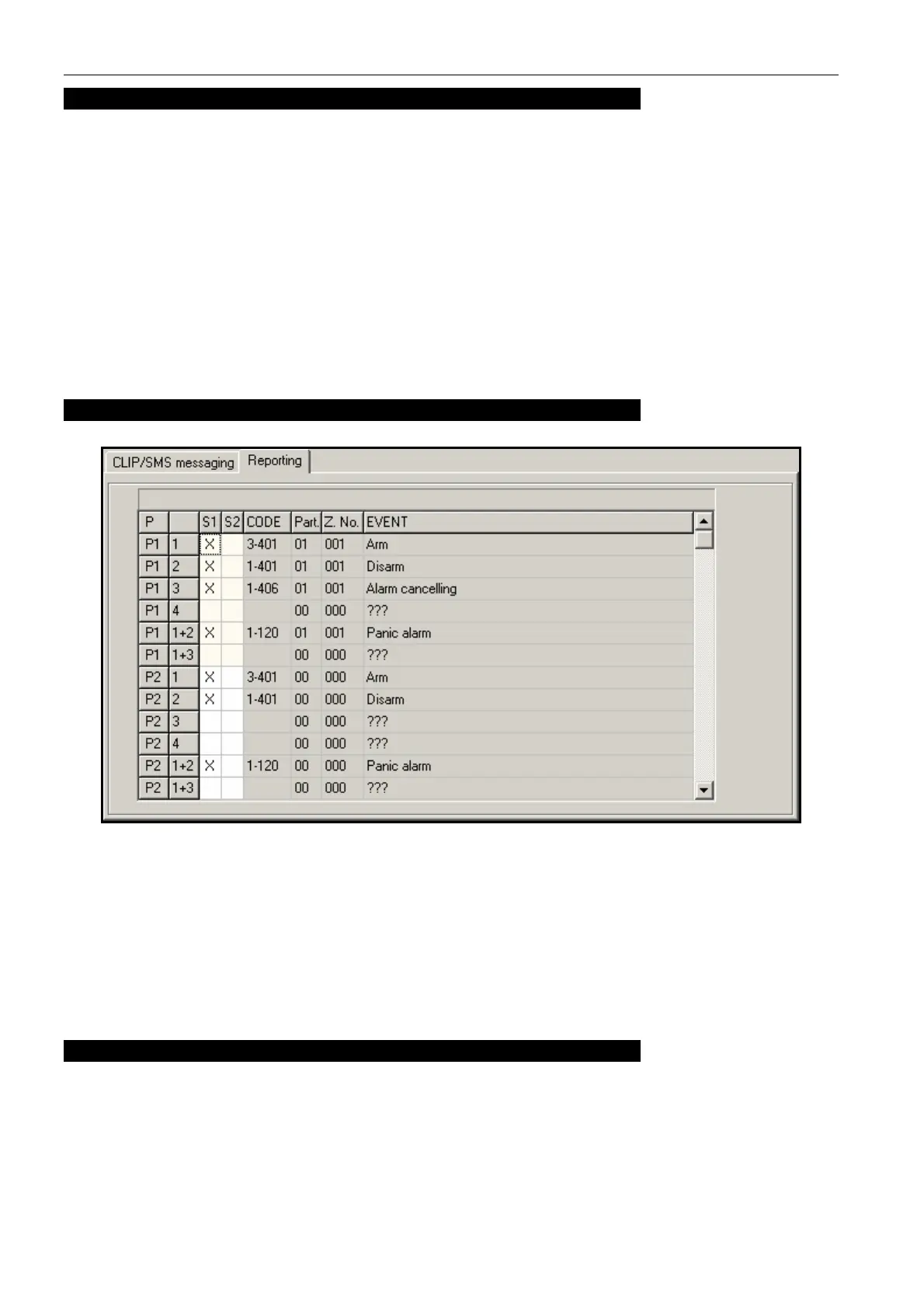
„Reporting” tab
Fig. 16. „Reporting” tab in „Keyfobs” tab.
Note: If the "Set CID codes automatically" option is enabled (see p.
30), entering the event
codes manually will be unavailable.
The rules of programming are the same as described in section "Reporting parameters"
(p. 31).
4.3.8 „MKP-300 KEYPAD” TAB
MKP-300
Serial number – shown in this field is the keypad serial number.
Register – the button allows you to register the keypad in the system.
Keypad presence control – enable this option, if the module is to check the keypad
presence. The module will then analyze the transmissions sent periodically by the keypad.
In the main menu, a bar illustrating the communication quality will appear under the field
corresponding to the keypad. The shorter the bar, the lower the communication quality. If



 To Next Page