SATEL MICRA 33
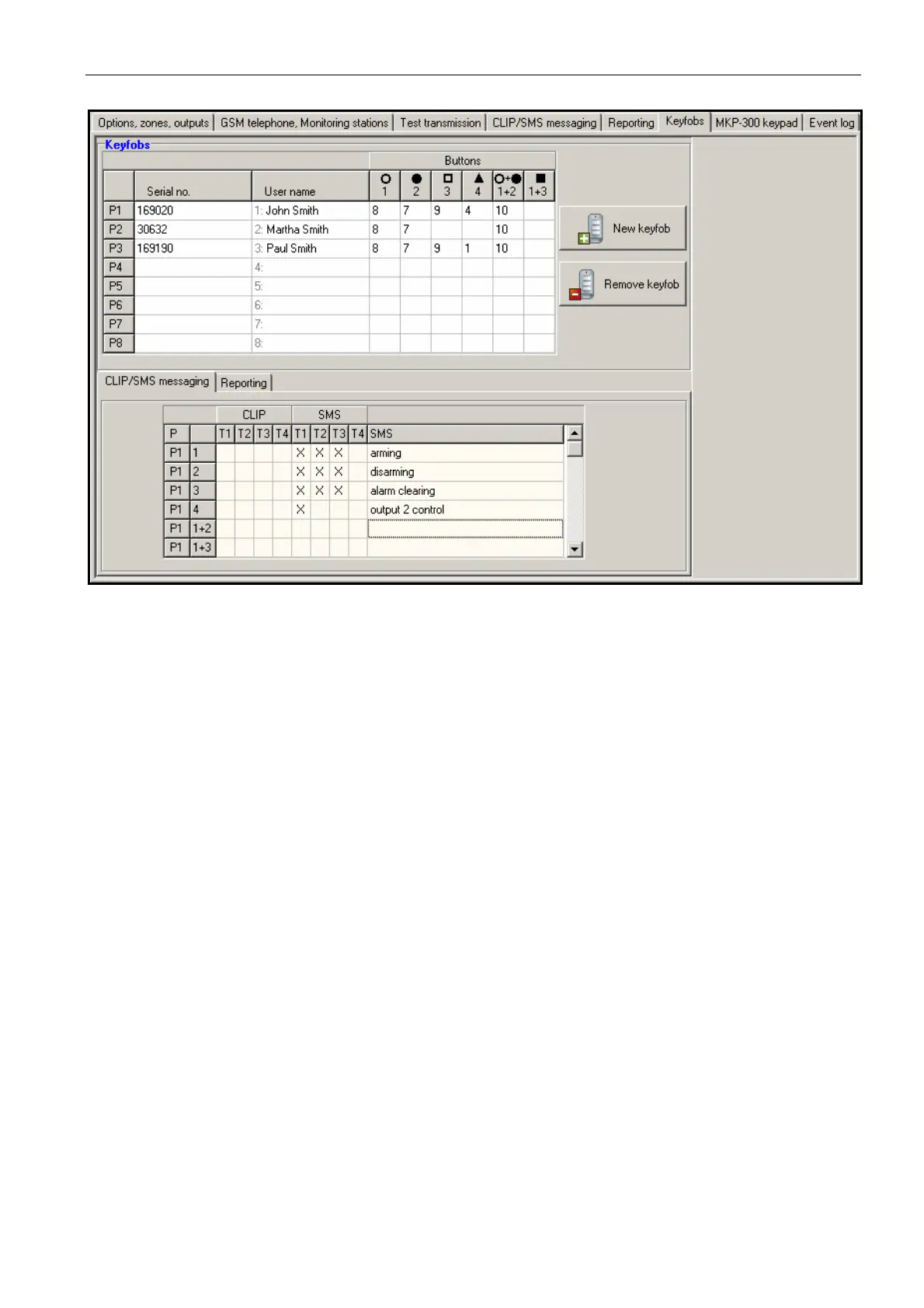
Fig. 15. „Keyfobs” tab.
Adding keyfobs – serial number entered manually
1. In the "Serial no." field, enter the serial number of the keyfob to be added.
2. In the "User name" field, enter the name of user.
3. Write the data to the module.
Adding keyfobs – serial number read out during transmission
1. Click on one of the fields at the keyfob you want to be added.
2. Click the "New keyfob" button to open the "New keyfob no. n" window (n – keyfob
number).
3. Following the instruction displayed in the window, press any keyfob button.
4. After the keyfob serial number is displayed in the window, click "OK". The window will
close and the keyfob serial number read out during the transmission will be displayed in
the appropriated field.
5. Enter a name for the user in the "User name" field.
6. Write the data to the module.
Assigning functions to keyfob buttons
1. Click at the selected keyfob on the column corresponding to the button (combination of
buttons) to which you want a function to be assigned.
2. Click the right mouse button to open a drop-down menu in which you can select the
required function. You can also enter the function number using the keyboard (the
numbers of all available functions are given above, in the "Buttons" field description)
and confirm with "Enter".
3. Write the data to the module.



 To Next Page