SATEL MICRA 13
4.3 DESCRIPTION OF THE PROGRAM
4.3.1 MAIN MENU
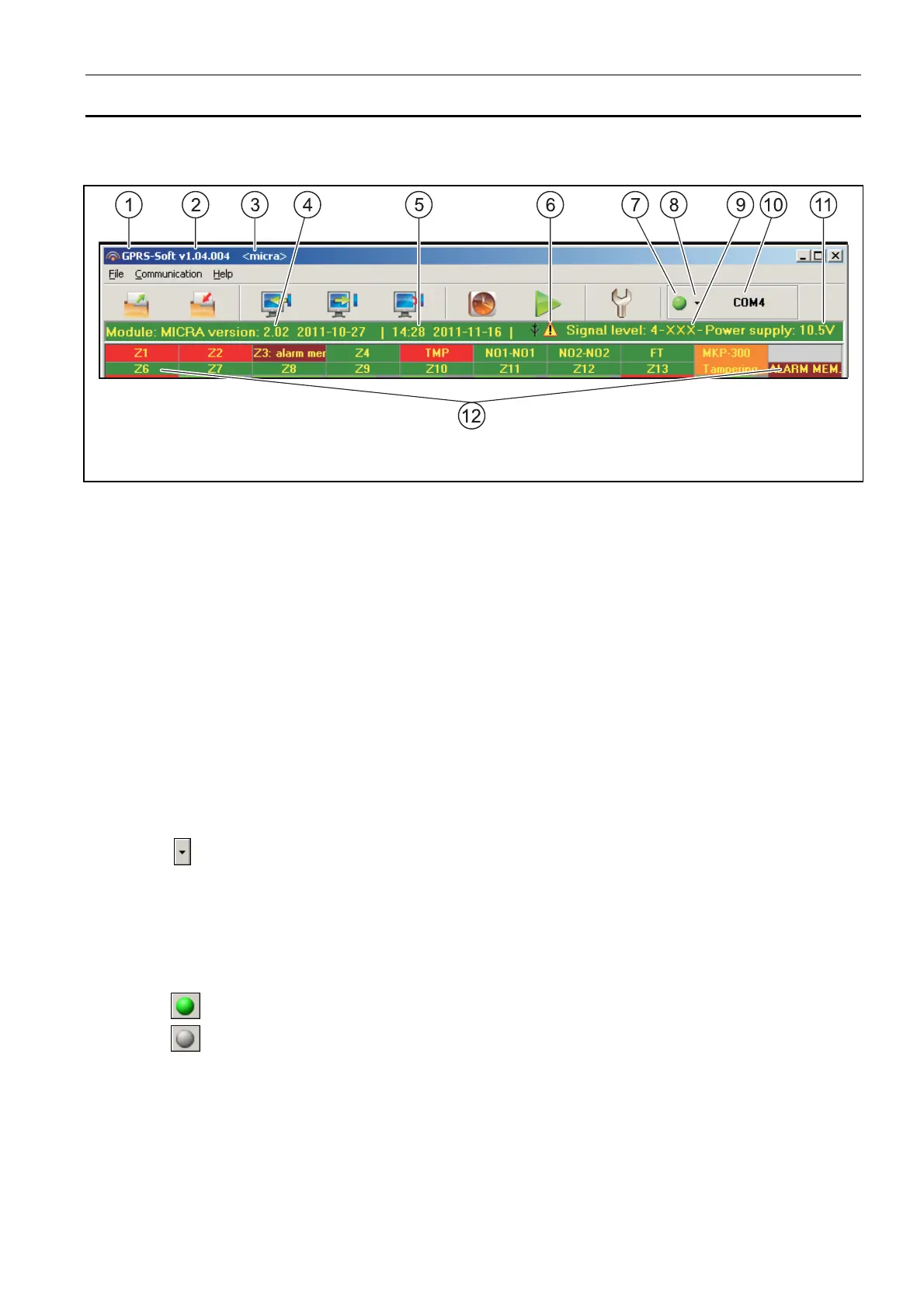
Fig. 8. Main menu of GPRS-SOFT program.
Explanations for Figure 8:
1 - program name.
2 - version of program.
3 - name of data file.
4 - version of module firmware (version number and build date).
5 - time and data by the module clock. When logging into a network, the module will
update these data automatically, if such a feature is offered by the GSM network
operator.
Note: Time and date in the module will be synchronized automatically after each
restart, according to the data sent by the operator (for example, if periodic
module restart has been preprogrammed – see: "Autorestart every" function).
6 - icon to indicate trouble. Hover your cursor over the icon to display additional
information about the type of trouble.
7 - Connection – depending on the mode of communication with module, selected using
the button, click on the button to:
– enable/disable the computer COM port (local programming through RS-232 port);
– activate/deactivate the server (remote programming with the use of GPRS
technology and TCP/IP protocol) – a click on the button will simultaneously open
a window indicating the server status.
The button color indicates the current communication status:
– – green – computer COM port enabled / server active;
– – gray – computer COM port disabled / server inactive.
8 - button for selecting the mode of communication with the module: local programming
through the RS-232 port or remote programming with the use of GPRS technology and
TCP/IP protocol.
9 - level of signal received by the GSM antenna and the name of service provider used by
the module.
10 - information on the mode of communicating with the module:
– COMn (n = COM port number) – communication through the RS-232 port;



 To Next Page