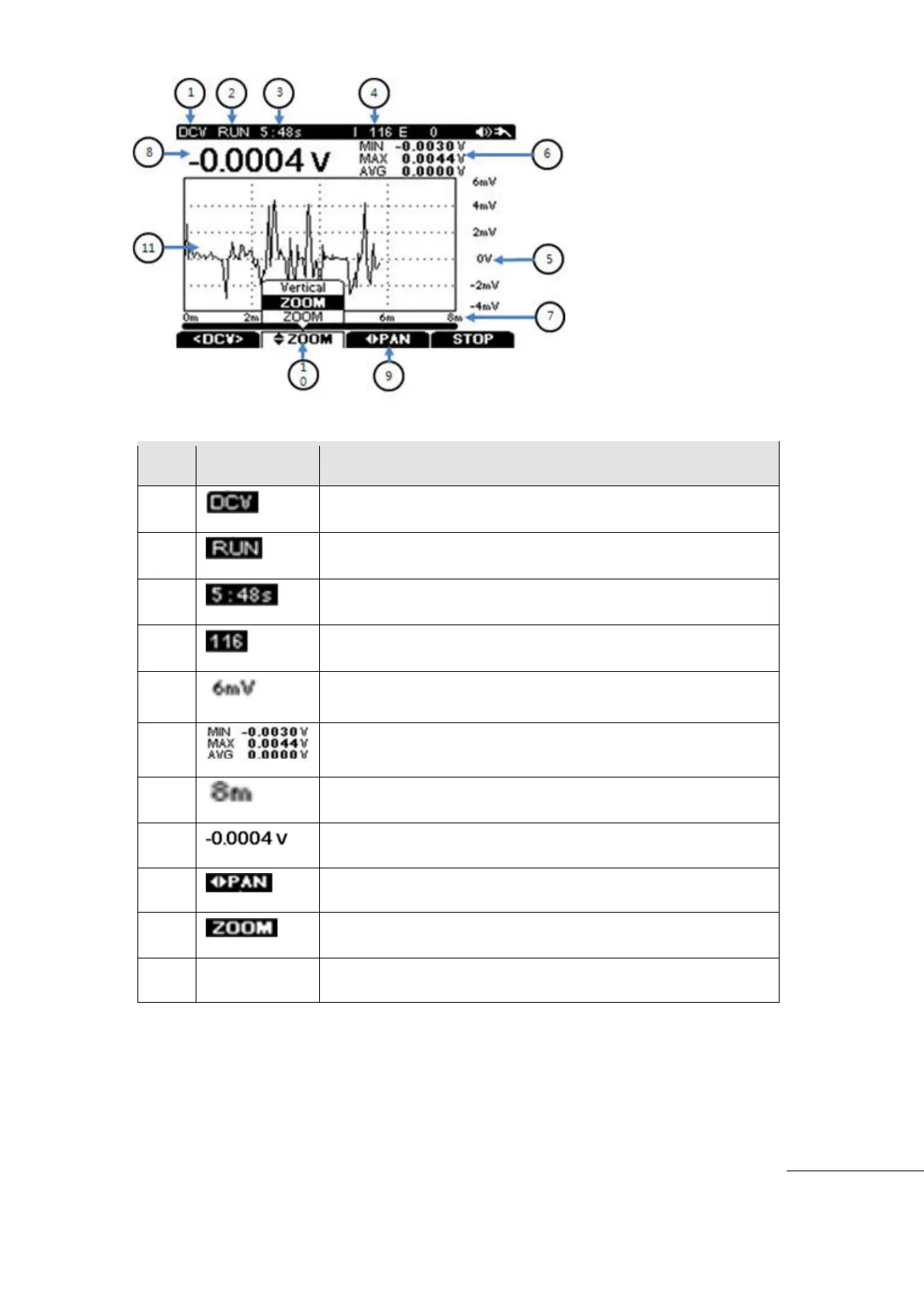
[Data Logger Display Symbol ]
Measuring Mode. (DCV, ACV, Ohm, Capacitance, Diode)
RUN or STOP indication of Data Logging function
Accumulated Sample (Qty in Data Logger).
Minimum, Maximum , Average of the Samples
Total Time Scale of Data Logging.
Present Measurement Value
Change the Time Scale (left - right horizontal axis) to review
closely on the specific Time Zone.
Zoom (at Regular Ration) the specific waveform quickly (up/
down Vertical axis).
Test Equipment Depot - 800.517.8431 - 99 Washington Street Melrose, MA 02176 - TestEquipmentDepot.com



 To Next Page