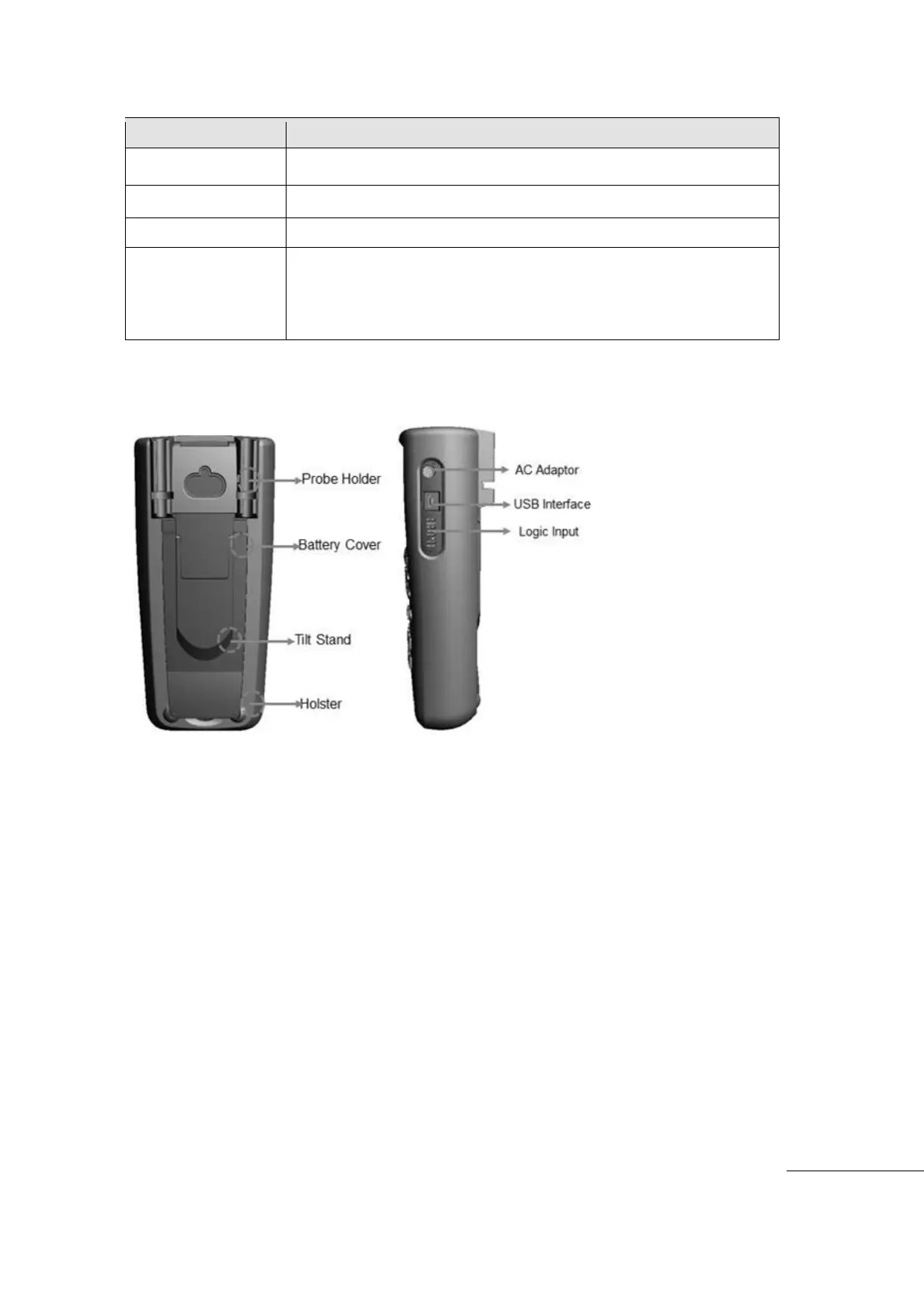
Rear View and Side View
Voltage Warning
User should pay attention to the Voltage Rating and Over Voltage warnings.
Immediately remove the Test Leads/Test Probes from the circuit if the VOLTAGE
WARNING comes on the screen. Scope function Input (SBS- 700), has a max 300V. Other
Multi-meter function Inputs (SBS-600 and SBS-700), max 600V. Milliohm Meter- meter
input (SBS-6500). Max 50VDC.
Meter will display the VOLTAGE WARNING regardless of AUTO or MANUAL
measurement mode. When over the Maximum Measurement limit, the WARNING alert
sound starts. In this case, immediately remove Test Leads/Test Probes from the circuit
under test
When measurement range is set to manual. The display shows “OL” if the range is
exceeded.
0 A ~ 10.00 A currents. (10A overload, 30sec On, 10 sec OFF)
0 A ~ 500 mA Currents measurement.
Negative Terminal to all measurements.
Volts, Continuity, Resistance, Diode, Capacitance, Frequency
measurement and AUX (auxiliary function with external adapter :
Temperature, High Current, Relative Humidity, Pressure
measurement) , Sig Out.



 To Next Page