Resistance ( ) measurement
Resistance measurements should be made with all power removed from the circuit and all high
power capacitors discharged prior to measurements being made.
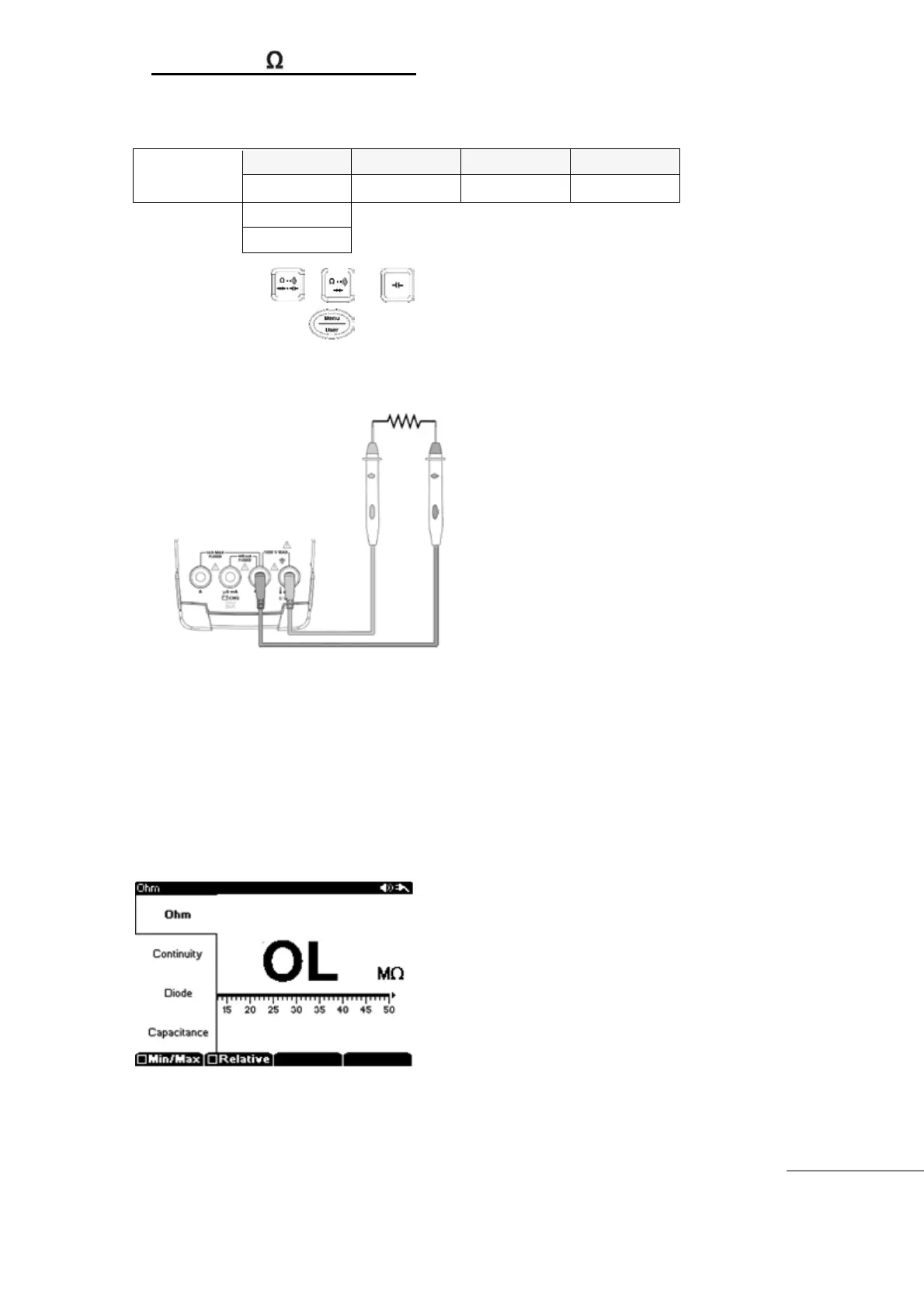
Press the , , or main function key.
Next press the Menu key and select “Ω, Continuity, Diode, Capacitance"
Insert Black (-) Test Lead to COM input terminal and insert Red (+) Test Lead into
“Ω/cap/Buzzer/Diode" input terminals
Start measurement
[Resistance measurement]
Measurement Range can be selected for Auto Range or Manual Range.
Measurement Range: 50Ω,500Ω,5000Ω,50㏀,500㏀,5㏁
,50㏁, 500㏁(8 ranges)
Measured Value is displayed on main display with Bar-Graph display.
Selectable Sub menu : Min/Max, Relative, Limit
[N
OTE]
Before measuring devices less than 50 ohms , Remove any residual resistance on Test
Leads – by momentarily shorting the Test Leads, use F2 “”Relative”



 To Next Page