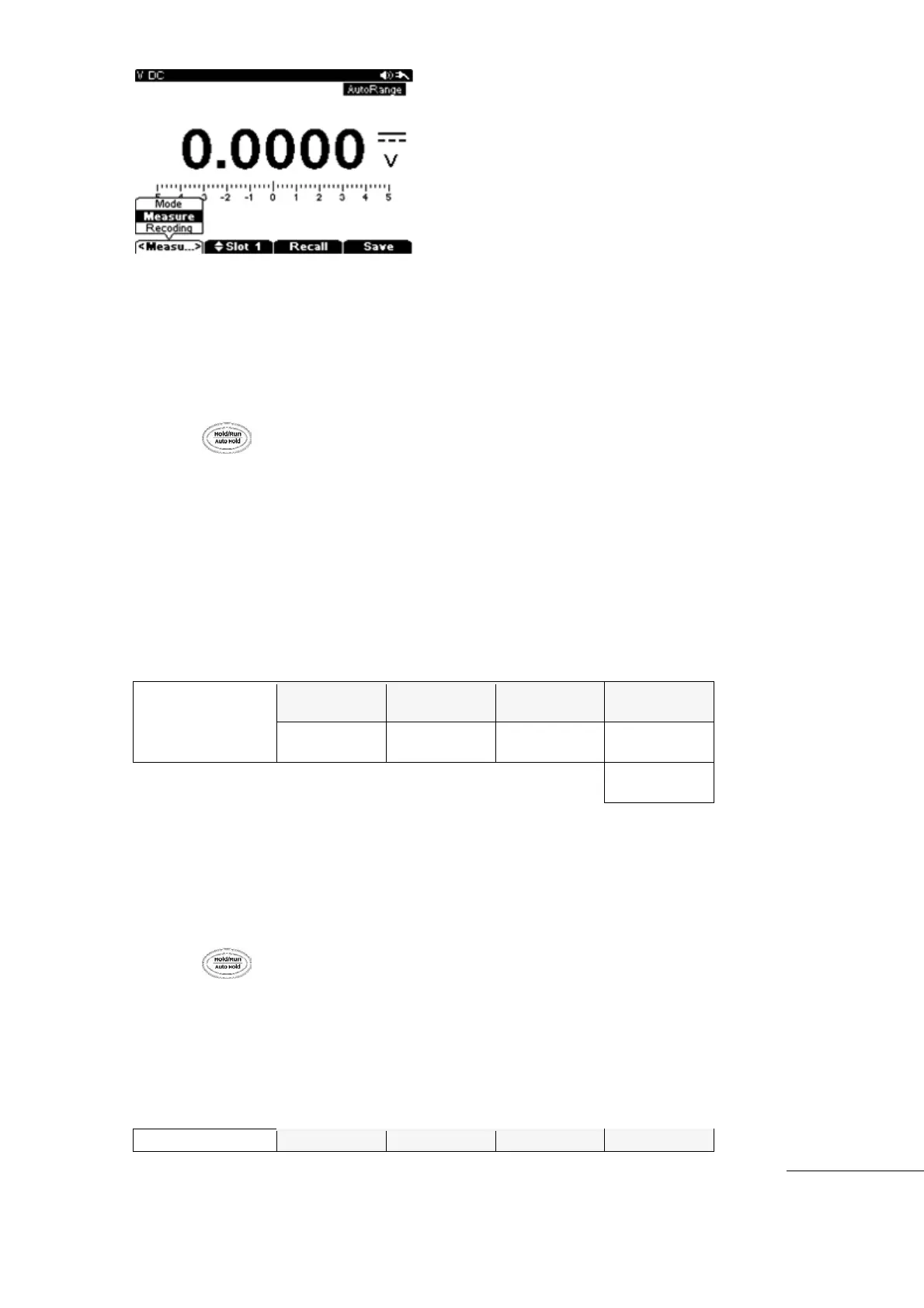
[Save/Recall Initial Screen]
Saving Data
All measurement data from meter functions can be saved by pressing the Data Hold key.
Data is saved as a Snap Shot taken in Hold mode.
Press key longer than 2 seconds. The Save/ Recall initial menu (Save, Recall)
comes up.
Press “F1” (Mode) key then convert to data (Save) mode. Press “F1” (Mode) key to save
“snap shot” or recording (Logging).
Press “F2” key in Save mode and select Saved Area Location Address with Up/Down key.
When a Save with Address is not selected, Data will be saved in the next open slot in file.
If address is selected, press “F4” (Save) Key to save the data at the assigned address.
Press “Menu” key to return to previous Measurement mode.
Measuring (snap shot) or Recording (Logger Data) are available in 10 separate locations .
When all addresses are full, the meter will start over to Save in slot number 1. At this time,
the meter will display a warning whether the user will erase the old data in slot number 1.
[Save, Recall Initial Menu]
[Recall-Snap Shot]
Snap Shot saved in Internal Memory of Meter can be recalled for viewing.
Press key for longer than 2 seconds, initial menu (Save, Recall) will appear.
Press “F3” (Recall) key to enter RECALL mode.
Press “F2” (Slot) key and select Recall Data address with Up/Down keys
After the address is selected, press “F3” (Recall) key to recall the Data
Press (Menu) key to return to original measurement mode.



 To Next Page