The meter features a bi-directional communication function and allows for all stored data in
memory to be transmitted to a PC.
USB Cable (standard) is supplied with the Software interface program file included in the
packaging.
Select USB in “User” setup Mode.
A USB Mini Type connection socket is located on the top right side of the meter.
Install the software and device drivers prior to connecting the USB to the PC.
A USB communication cable is supplied as an original accessory with the meter. If using
another USB cable, make sure it is of the “A-B” type.
After installation of the PC program, pressing the HELP key button on meter will display the
details about the PC Program execution.
[NOTE]
The SBS-600 is capable of performing bi-directional communication and control of the meter via
the PC on a real time basis, user can review or download the data that is stored inside of internal
memory of meter as well as use the software for recording and screen capture.
[How to install USB]
Driver and PC Software
Insert the supplied CD disc into the PC
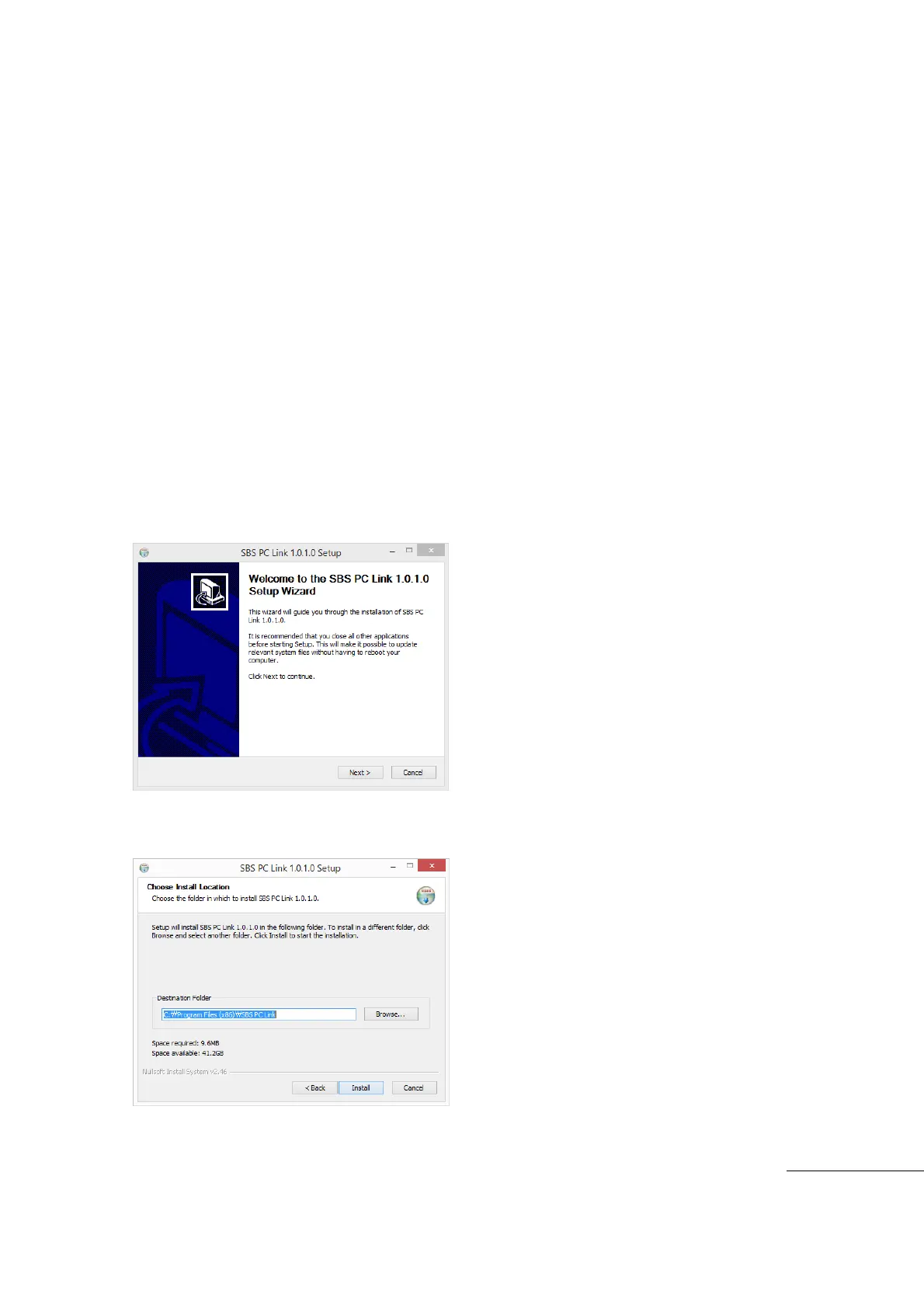
Open the Disk Directory and Run the “SETUP” by double clicking on the icon.
Click “NEXT” to continue.
Click “Install” to continue.



 To Next Page