1 2
1 2
Tone selection
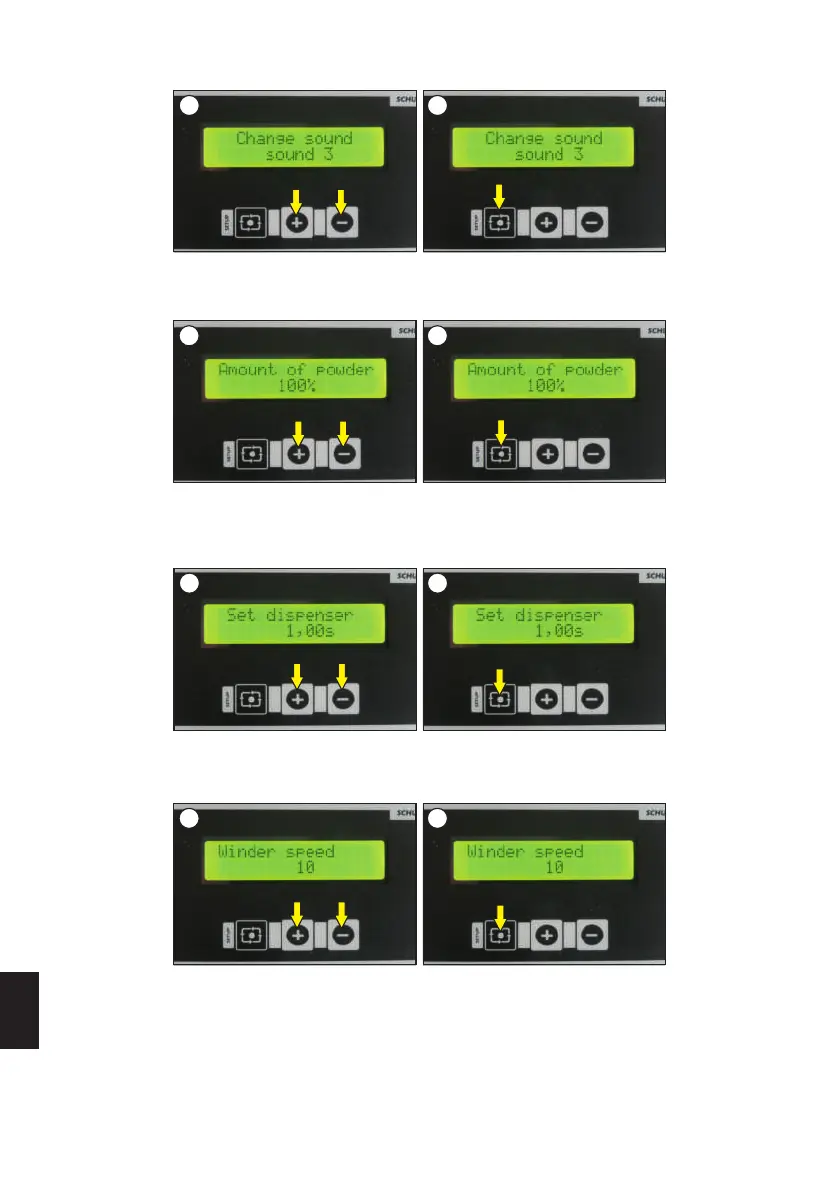
The device has three different types of display sounds. Changing the type of sound is done after selecting the language. The selection should be
made with the + and - buttons (image 1). Confirm the selection with the SETUP button (image 2).
Amount of powder
The default set amount is 100%. This amount can be increased or decreased by the user in the range of 50%- 200% depending of the needs.
The selection should be made with the + and - buttons (image 1). Confirm the selection with the SETUP button (image 2).
1 2
Dispenser adjustments
When using non-standard powders, it may be necessary to reduce/increase the release time of the powder from the dispenser onto the conveyor
belt. The factory set time is 1 second. Changing the powder release time is done after selecting the cover sensor activation. The selection should
be made with the + and - buttons (image 1). Confirm the selection with the SETUP button (image 2).
1 2
Speed of the winder
The speed of the winder is adjusted automatically, but it can also be adjusted when the foil is rolled too fast/too slow. The default value of the winder
speed is 10. Adjustment of the speed is made right after setting the dispenser. The selection should be made with the + and - buttons (image 1).
Confirm the selection with the SETUP button (image 2).
ENGLISH
28
Version 23.05



 To Next Page