Assembly
24
11.00 | PGN | Assembly and Operating Manual | en | 389286
Part gripped:
Ø Mount the proximity switch as described before.
Ø Set the gripper onto ”open“ postion.
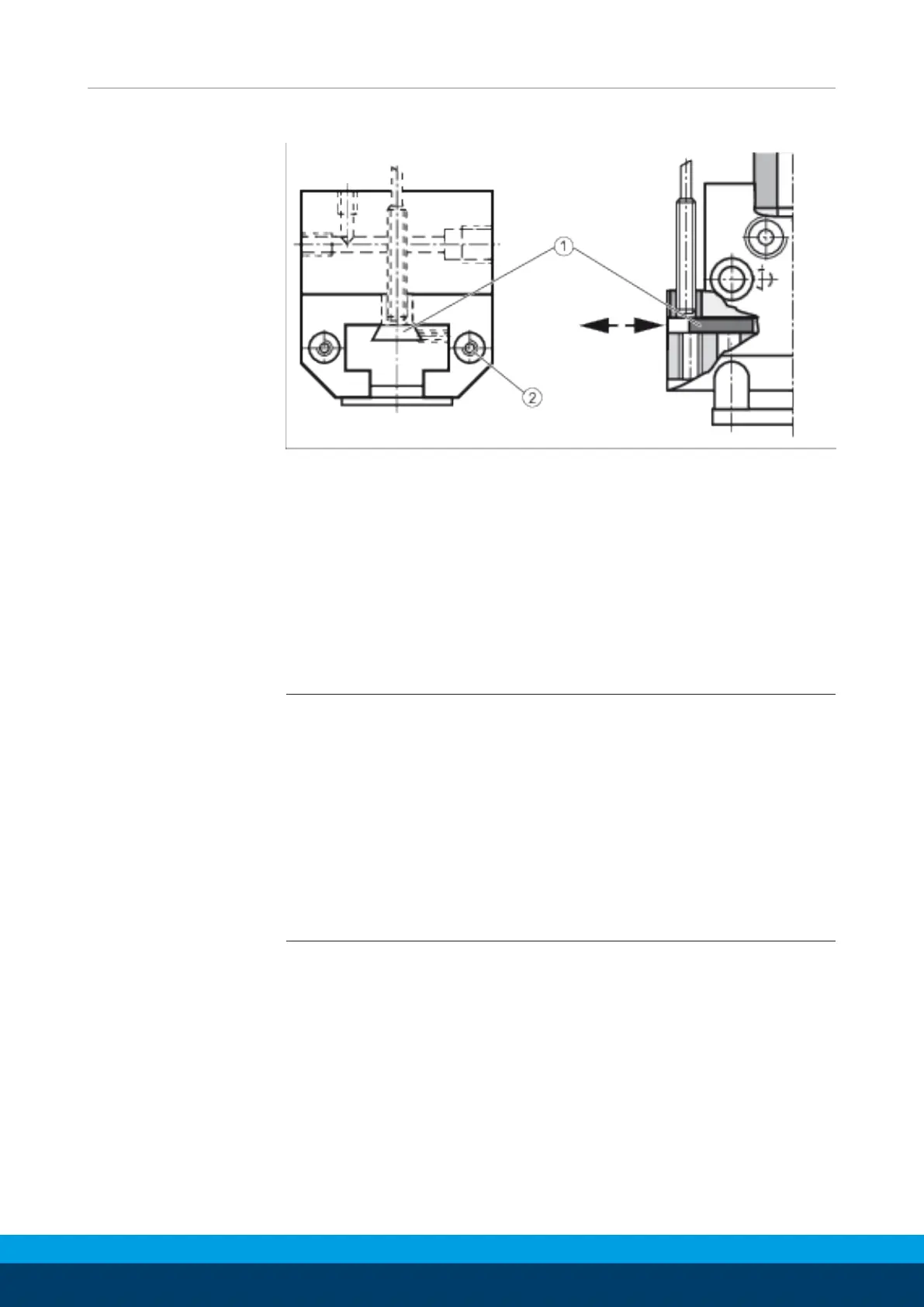
Ø Loosen the set-screw (2) which clamps the control cam (1).
Ø Clamp the component to be gripped.
Ø Slide the control cam (1) which switches the proximity switch.
Ø Carefully set the gripper onto ”open“ position.
Ø Fasten the control cam (1) with the set-screw (2) and check the
function.
Assembly and
adjustment of
Proximity Switch PGN
200, 300 and 380
NOTE
• For standard applications proximity switch M 8 x 1 x 32 is used.
• If proximity switches Ø 12 x 60 are used, the bushing (item 68) has
to be replaced by the one of (item 67) from the little plastic bag.
• Proximity switches are accessories and have to be ordered
separately.
• The control cams may be adjusted so that additionnally to the
two positions gripper ”open“ and gripper ”closed“ every
intermediate position may be monitored by sliding the control
cam.


 To Next Page
 Loading...