Start up with PC
05/STM-48V/en/2011-04-01/CW 45
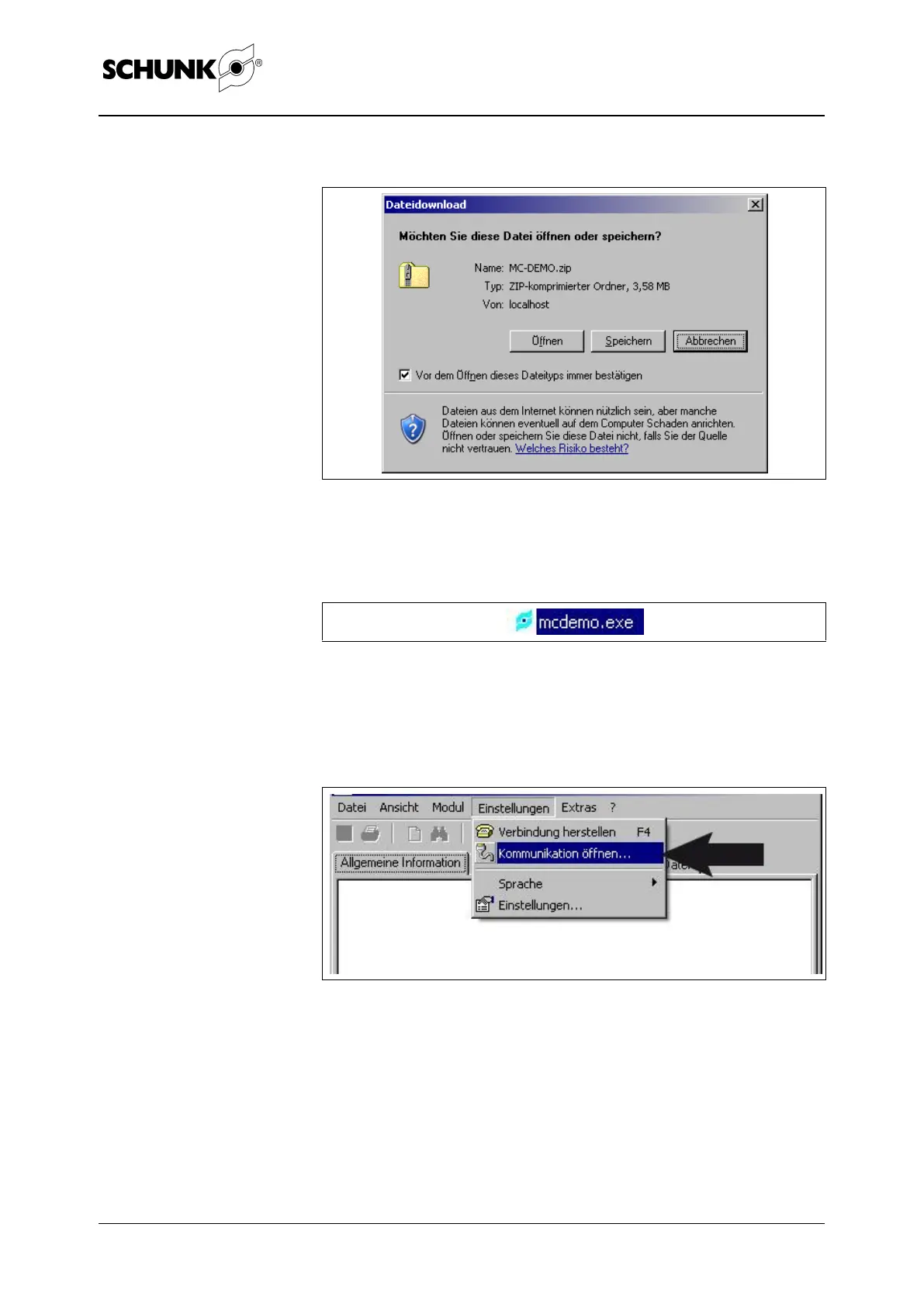
2. Save the file and unpack the file:
Figure 16
3. Start MC Demo by double-clicking on:
Figure 17
4. Configure the communication interface:
(choice between RS232, CAN or Profibus)
Figure 18
Select "Settings" "Open communication…".


 To Next Page