10/01
13
_____________________________________________________________________________________________________________________________Viewing the engine parameters
5. VVIEWING TTHE EENGINE PPARAMETERS
To view the engine parameters, press the
Engine
button successively. Three different screens can be viewed.
The values that can be displayed on these three screens are indications only.
Screen 11 ::
Press the
Engine
button to get the following screen.
The first line indicates the fuel level, expressed in %, in the day tank.
The second line indicates the engine speed expressed in RPM.
The third line indicates the battery voltage expressed in Volts.
Fuel Lev(%)
E.Speed(RPM)
Batt. (Volts)
ext command= 17:15
gen running 12/01/00
GE t d b
Screen 22 ::
Press
Engine
a second time to get the following screen.
The first line indicates the oil pressure expressed in Bar.
The second line indicates the oil temperature expressed in degrees Celsius (°C).
The third line indicates the water temperature expressed in degrees Celsius (°C).
Oil Pr.(Bar)
Oil T.(°C)
WaterT.(°C)
ext command=1 17:15
gen running 12/01/00
The first line indicates the oil pressure expressed in PSI (pound per square inch).
The second line indicates the oil temperature expressed in degrees Fahrenheit (°F).
The third line indicates the water temperature expressed in degrees Fahrenheit (°F).
Oil Pr. (PSI)
Oil T.(°F)
WaterT. (°F)
ext command=1 17:15
gen running 12/01/00
Screen 33 ::
Press
Engine
a third time to get the following screen.
Press
Engine
again to bring up the first screen and so on ...
The first screen is the one which appears by default after the has powered up (see paragraph 1.7) or after pressing
Esc
to exit the display
mode.
If one of the sensors is not declared available (optional sensor and/or factory programming), there will be no display on screen on the line
corresponding to the undeclared sensor (see screen 1).
If the cabling of one the analogue inputs is faulty or if a sensor is faulty, there will be no digital indication on screen on the line of the cor-
responding sensor (see screen 2).
Oil Pr. (Bar)
WaterT. (°C)
ext command=1 17:15
gen running 12/01/00
Oil Pr. (Bar)
Oil T.(°C)
WaterT.(°C)
ext command= 17:15
gen running 12/01/00
screen 1
screen 2
6. DDISPLAY LLEDS AAND LLAMP TTEST
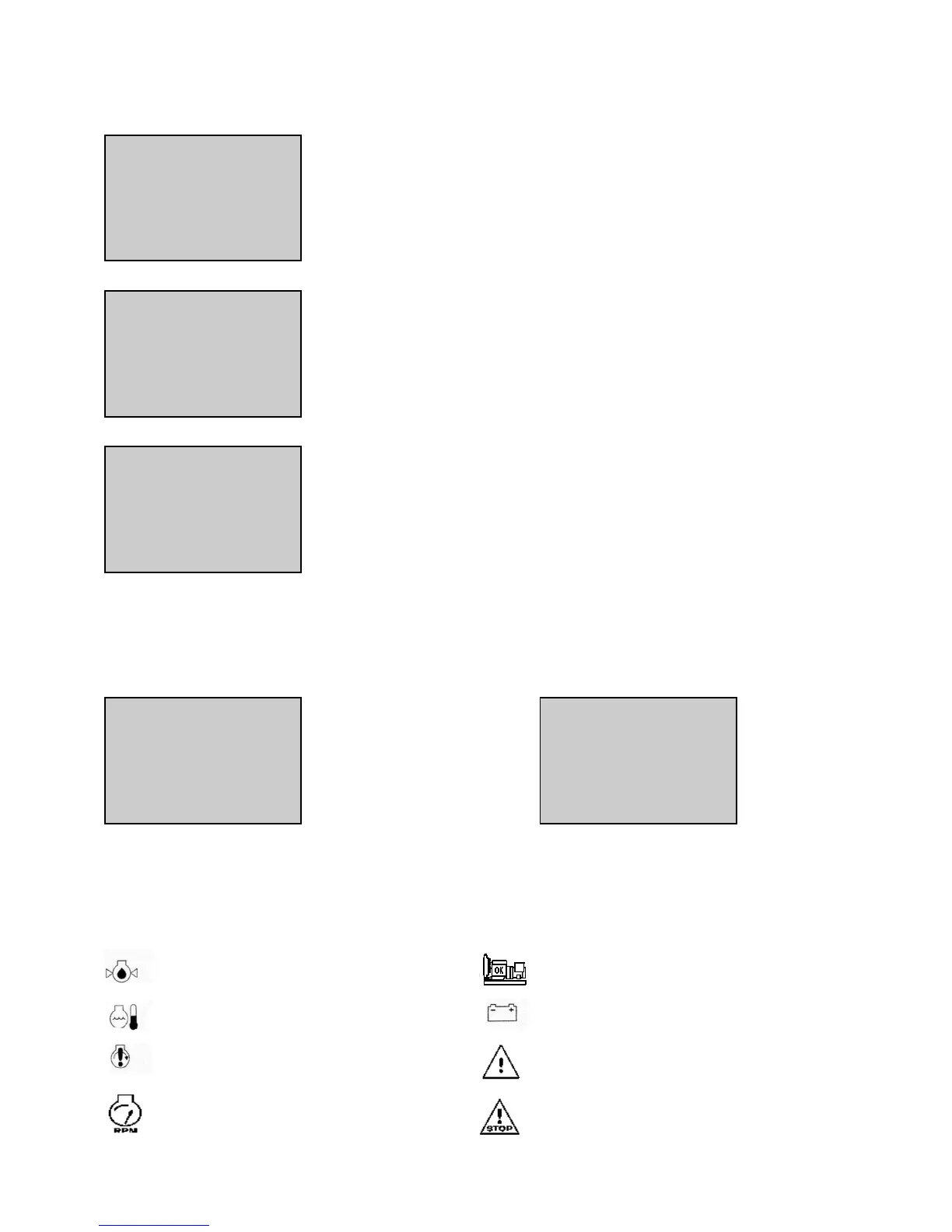
On the display module panel face, fifteen LEDs are used to display various generating set status, alarms and faults.
A set of eight LEDs are used to display the following alarms, faults and statuses:
Oil pressure fault/shutdown (red) Genset ready to take load (green)
Water temperature fault/shutdown (red) Charge alternator fault/shutdown (red)
Overspeed fault/shutdown (red) General fault (red)
Overcranking/Fail to start shutdown (red) General alarm (yellow)


 To Next Page