Section 2: Description of SBE 19plus V2
10
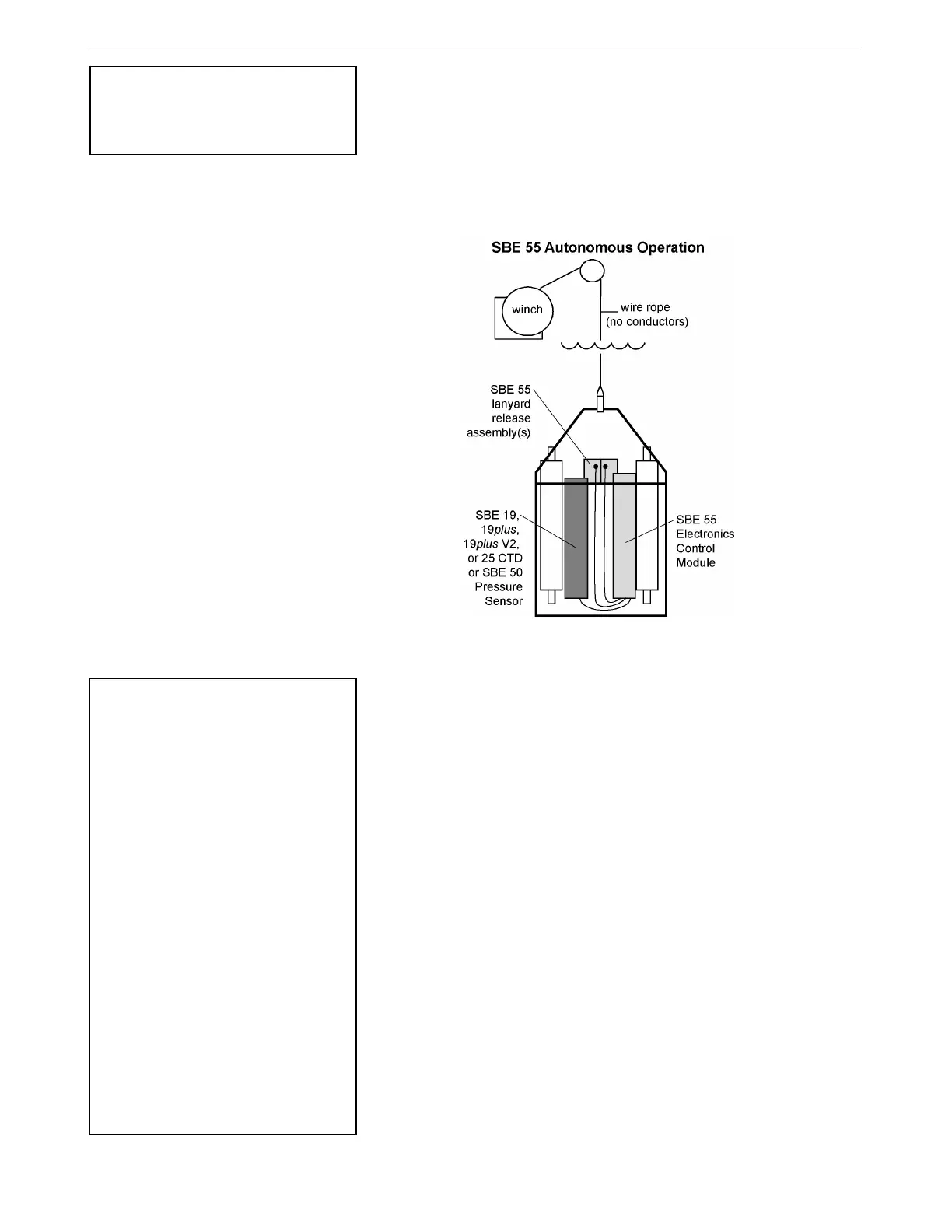
• SBE 55 ECO Water Sampler - The SBE 55 has built-in capabilities
similar to that of an SBE 32 Carousel Water Sampler integrated with an
Auto Fire Module, allowing the SBE 55 to operate autonomously on non-
conducting cables. The SBE 55 monitors the pressure data recorded by the
19plus V2 in real-time, closing water sampler bottles at predefined
pressures (depths) or whenever the system is stationary for a specified
period of time. Bottle number, firing confirmation, and five scans of CTD
data are recorded in the SBE 55 memory for each bottle fired. See the
SBE 55 manual for operating details.
The SBE 19plus V2 is supplied with a powerful Win 2000/XP software
package, SEASOFT-Win32, which includes:
• SeatermV2 – terminal program for easy communication and data
retrieval. SeatermV2 is a launcher. Depending on the instrument selected
it launches Seaterm232 (RS-232 instruments, such as the 19plus V2),
Seaterm485 (RS-485 instruments), or SeatermIM (inductive modem
instruments).
• SEASAVE V7 – program for acquiring, converting, and displaying real-
time or archived raw data.
• SBE Data Processing – program for calculation and plotting of
conductivity, temperature, pressure, auxiliary sensor data, and derived
variables such as salinity and sound velocity.
Note:
The SBE 32 Carousel is a 12-, 24-, or
36-bottle water sampler. The SBE 55
ECO is a 3- or 6-bottle water sampler.
Notes:
• Help files provide detailed
information on the use of
SeatermV2, SEASAVE V7, and
SBE Data Processing.
• Separate software manuals on the
CD-ROM also provide information
on the use of SEASAVE V7 and
SBE Data Processing.
• Sea-Bird also supplies an older
version of SEASAVE, SEASAVE-
Win32. However, all SEASAVE
instructions in this manual are
written for SEASAVE V7. See
SEASAVE-Win32’s manual and/or
Help files if you prefer to use the
older software.
• Sea-Bird supplies the current
version of our software when you
purchase an instrument. As software
revisions occur, we post the revised
software on our FTP site. See our
website (www.seabird.com) for the
latest software version number, a
description of the software changes,
and instructions for downloading the
software from the FTP site.
17



 To Next Page