4
Processing Procedure Using SBE Data Processing
The linear regression that yields a new Soc and Voffset may be accomplished with spreadsheet software, a hand-held
calculator with statistical capability, or (with perseverance) a calculator, graph paper, and pencil. As a first step,
extract pressure, temperature, salinity, oxygen saturation, and SBE 43 voltage from the parts of your CTD data
collected when the water sampler closures occurred.
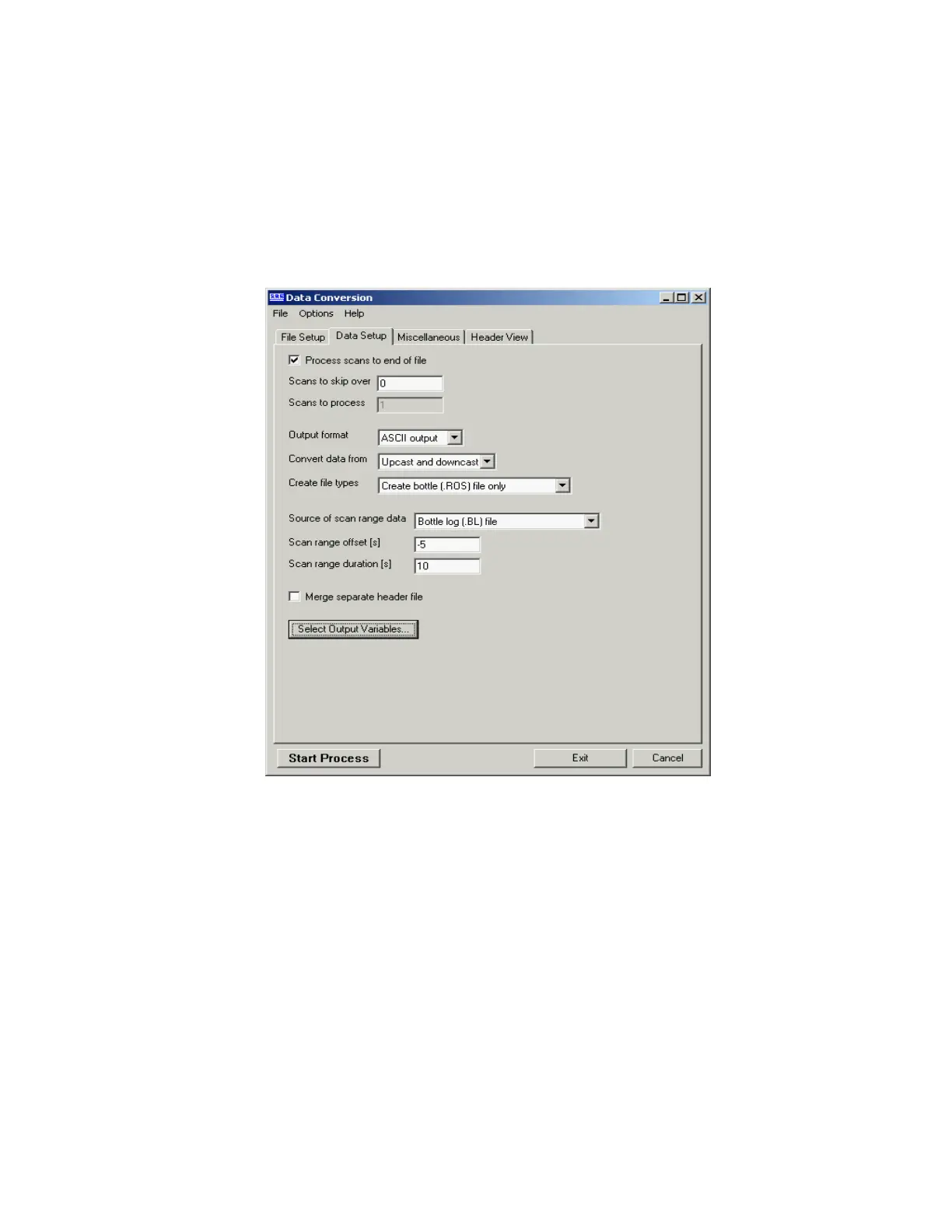
Run SBE Data Processing, and select Data Conversion in the Run menu. Select the appropriate configuration (.con)
and data (.dat or .hex) files on the File Setup tab. Click the Data Setup tab and set Convert data from to Upcast and
downcast and Create file types to Create bottle (.ros) file only.
To extract CTD data concurrent to the water sampler closures, Data Conversion must know when the closures
occurred. Select an appropriate Source of scan range data, depending on your instrument type and how the sampler
was commanded to close bottles:
• SBE 9plus with SBE 11plus or 17plus - The data stream is marked with a bottle confirm bit each time a
closure occurred.
• Using SEASAVE to operate the water sampler - A .bl file, with scan ranges corresponding to closures, is
created during the cast.
• SBE 19, 19plus, 19plus V2, or 25 with Auto Fire Module (AFM) and SBE 32 Carousel Water Sampler, or
operated autonomously with SBE 55 ECO Water Sampler - The .afm file contains scan ranges.
Like all sensors, the SBE 43 has a finite response time to a change in dissolved oxygen concentration. This response
time is usually on the order of 6 seconds. For this reason, good sampling procedure dictates that the instrument
package should be stopped in the water column long enough for the SBE 43 and all other sensors to completely
equilibrate before closing the water sampler. An equilibration time of 5 to 6 response times, or 30 to 36 seconds, is
adequate.
Figure 4.
239



 To Next Page