5
In the example above, Data Conversion will begin extracting data 5 seconds before each water sampler closure
(Scan range offset = -5 s) and will extract a total of 10 seconds of data (Scan range duration = 10 s). Note that
10 seconds is longer than the SBE 43 response time. Because we are extracting data for 5 seconds after the water
sampler closure, the instrument package must remain stopped for at least this long.
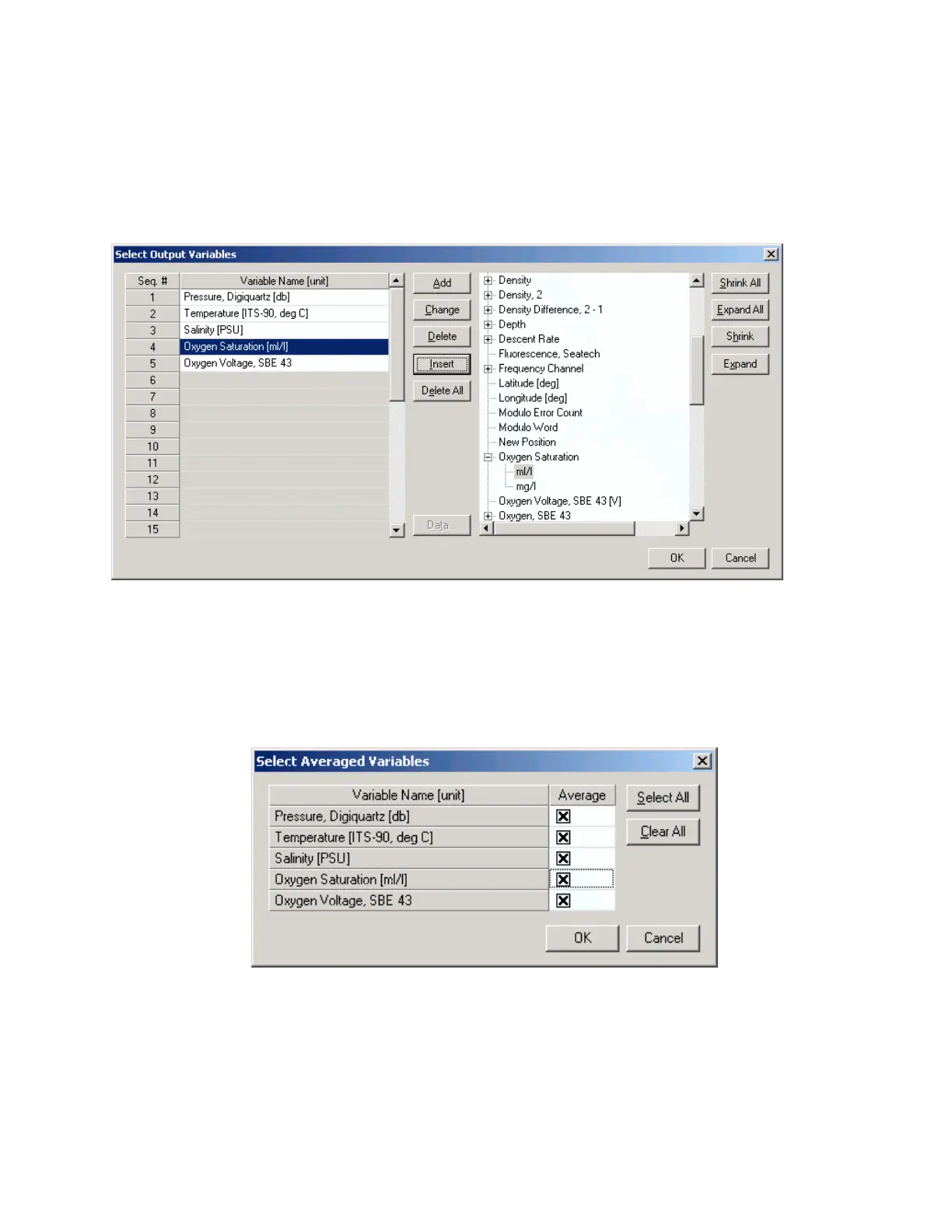
To estimate Soc and Voffset, you need pressure, temperature, salinity, oxygen saturation (ml/l), and SBE 43 Oxygen
Voltage to go with each Winkler titration data value. Click Select Output Variables and add each of the required
parameters; the dialog box is shown below.
After selecting all the variables, click OK to return to the Data Conversion Data Setup tab. Then click Start Process
to create the .ros file.
For this example, the .ros file contains 10 seconds of data centered on the moment the bottle closure occurred for
every bottle closure. To make a useful table, select Rosette Summary from SBE Data Processing’s Run menu.
Rosette Summary calculates averages and standard deviations for the variables selected in Data Conversion. Select
the appropriate .con and .ros files on the File Setup tab. Click the Data Setup tab and then click the Select Averaged
Variables button; the dialog box is shown below.
After selecting all the variables, click OK to return to the Rosette Summary Data Setup tab. Then click Start Process
to create a data table file with the .btl extension.
Figure 5.
Figure 6.
240



 To Next Page